- Events
-
Partners
- Government
- Customer Portal
- Contact Us
- Contact Sales
-
English
Your IIS logs contain extensive information about how users are accessing your web server. SolarWinds® Security Event Manager (SEM) serves as an IIS log analyzer built to collect, normalize, and parse your IIS log data, letting you more easily manage your logs based on the data most relevant to your interests.
With SEM, you can also run out-of-the-box rules and alerts to detect new and unique errors, which could indicate inappropriate web usage, potential abuse of web services, or other abnormal traffic.
IIS logs often contain critical information about an attack. If your application isn’t logging failed form submits, or your web application firewall doesn’t detect certain malicious behavior, the IIS logs may contain the only signs of an attack.
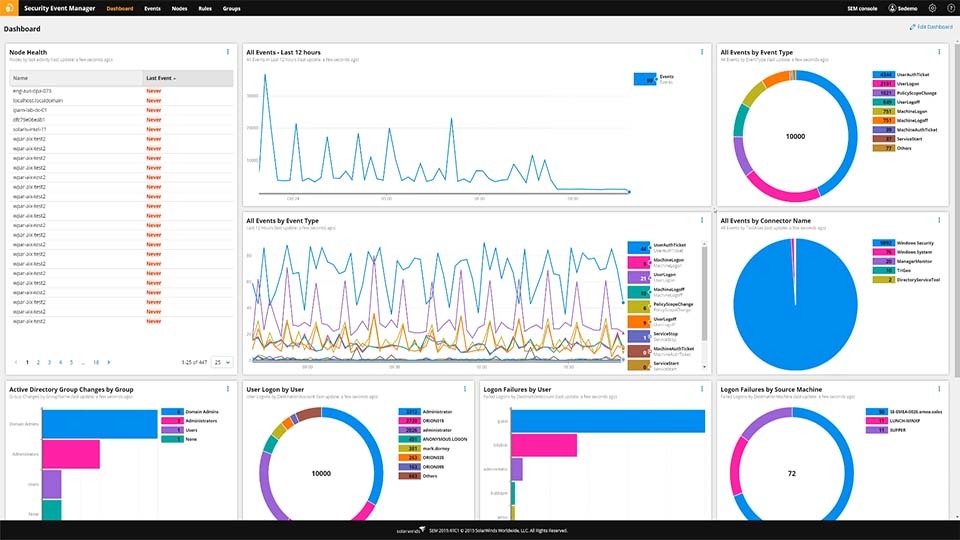
Using SolarWinds Security Event Manager, you can search for references to system tables, functions, views, and schemas, and more easily identify patterns in your web traffic with the ability to run reports to visualize data in real time for general or specific events. You can also update your dashboard to include specific events from IIS logs, so you can quickly detect potential issues.
Security Event Manager’s industry-leading compression rate means you can store more logs for longer. If there’s a breach, this can allow you to review historical IIS logs from your secure log storage to more easily find how the attackers breached your network.
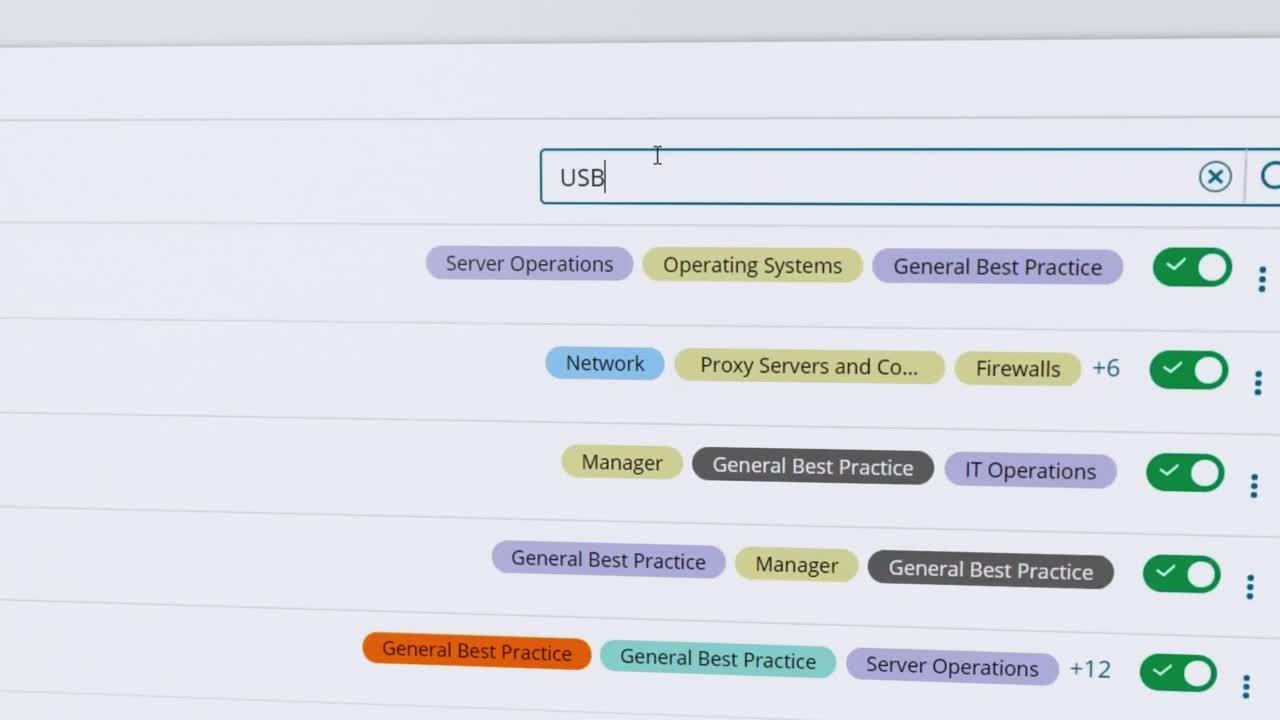
You can also use the advanced ad hoc search capability to discover issues and save common searches for easy future reference.
SolarWinds Security Event Manager IIS log analyzer includes an IIS log viewer, IIS log reader, and IIS log parser, all of which together are designed to collect and normalize the logs created by your IIS server.
This can make it easy to see and understand all the relevant data from a single view without getting distracted by logs in different formats or having irrelevant logs displayed. Once logs are normalized, they are stored in the SEM Alert Database, so you can look back at them as needed and support compliance efforts.
An IIS log analyzer is a tool to help make sense of the logs automatically created when users access your web server. Your IIS log files contain substantial information about how users are accessing your server.
A Microsoft IIS log analyzer is built to take log data being produced in your system and translates it into usable information to help with you with troubleshooting and auditing. An IIS log analyzer can read through, picks out, and consolidates log data from the various nodes on your system. This can allow you to more easily focus on important log data without getting overwhelmed by irrelevant information.
You can also use IIS log analyzers to compare log events to rules you set in the tool to alert you when suspicious or otherwise problematic activity is detected. Since logs are collected, parsed, normalized, and stored in a central location for simplified searchability, you can more easily investigate the potentially malicious activity without having to manually search source by source or log by log.
Web servers, including Microsoft IIS, are common targets for attackers. IIS log analysis can be important for maintaining the security and performance of your server.
For example, cyberattackers may attempt to hit IIS web servers with DDoS or SQL injection attacks. If an attack occurs, anonymous users trying to access protected information from your web servers can signal an attack. Similarly, an abnormal number of 404 errors could mean someone is attempting to exploit a path traversal vulnerability. With the help of an IIS log analysis, you can stay better protected against threats by quickly detecting and addressing threats right when they occur.
An IIS log file analyzer monitors is designed to track your web servers for indicators of attacks and can alert you when potentially malicious activity detected. This real-time notice can help you stop an attack in its tracks, protecting your system and your data from breaches and other security incidents by performing:
SolarWinds Security Event Manager is designed to simplify managing your IIS log data. By automatically collecting, normalizing, and parsing your IIS log data, SEM’s IIS log analyzer is built to make it easier to keep your web servers performing optimally.
With SEM’s IIS log analyzer, you can run out-of-the-box rules and alerts to on log events indicating abnormal traffic and potential threats. You can also customize your dashboard to include specific events captured in IIS logs to more quickly detect issues.
SEM is built to create a central location of logs from various sources put into a common readable format with the help of hundreds of pre-built connectors. This process involves the SEM IIS log reader reading and normalizing the log text files as they come in and then storing them in the Alert Database on the SEM Appliance. With SEM’s industry-leading compression rate, you can also store more logs for longer. That means when an issue occurs, you have a longer historical record to refer to if needed.
An IIS log analyzer is a tool to help make sense of the logs automatically created when users access your web server. Your IIS log files contain substantial information about how users are accessing your server.
A Microsoft IIS log analyzer is built to take log data being produced in your system and translates it into usable information to help with you with troubleshooting and auditing. An IIS log analyzer can read through, picks out, and consolidates log data from the various nodes on your system. This can allow you to more easily focus on important log data without getting overwhelmed by irrelevant information.
You can also use IIS log analyzers to compare log events to rules you set in the tool to alert you when suspicious or otherwise problematic activity is detected. Since logs are collected, parsed, normalized, and stored in a central location for simplified searchability, you can more easily investigate the potentially malicious activity without having to manually search source by source or log by log.
Web servers, including Microsoft IIS, are common targets for attackers. IIS log analysis can be important for maintaining the security and performance of your server.
For example, cyberattackers may attempt to hit IIS web servers with DDoS or SQL injection attacks. If an attack occurs, anonymous users trying to access protected information from your web servers can signal an attack. Similarly, an abnormal number of 404 errors could mean someone is attempting to exploit a path traversal vulnerability. With the help of an IIS log analysis, you can stay better protected against threats by quickly detecting and addressing threats right when they occur.
An IIS log file analyzer monitors is designed to track your web servers for indicators of attacks and can alert you when potentially malicious activity detected. This real-time notice can help you stop an attack in its tracks, protecting your system and your data from breaches and other security incidents by performing:
SolarWinds Security Event Manager is designed to simplify managing your IIS log data. By automatically collecting, normalizing, and parsing your IIS log data, SEM’s IIS log analyzer is built to make it easier to keep your web servers performing optimally.
With SEM’s IIS log analyzer, you can run out-of-the-box rules and alerts to on log events indicating abnormal traffic and potential threats. You can also customize your dashboard to include specific events captured in IIS logs to more quickly detect issues.
SEM is built to create a central location of logs from various sources put into a common readable format with the help of hundreds of pre-built connectors. This process involves the SEM IIS log reader reading and normalizing the log text files as they come in and then storing them in the Alert Database on the SEM Appliance. With SEM’s industry-leading compression rate, you can also store more logs for longer. That means when an issue occurs, you have a longer historical record to refer to if needed.
Security Event Manager
Collect and normalize IIS log files from different tools for easy readability.
Cut through the noise to quickly get to the log file you need.
Identify suspicious behavior faster, with less manual effort and less security expertise.