- Events
-
Partners
- Government
- Customer Portal
- Contact Us
- Contact Sales
-
English
An event log analyzer, sometimes referred to as a system log viewer, can be used to optimize network performance and health, improve system security, and help organizations remain compliant with industry auditors.
Logs contain tons of valuable insights to help IT teams trace and solve issues, and as such, they need to be collected and analyzed if they’re to provide value. The issue is, they’re generated at a near-constant rate and in large volumes.
A log file analyzer is designed to help IT teams solve this issue by automating the log collection and analysis processes, so IT teams can more easily turn raw data into valuable information.
To analyze event viewer logs, IT teams must follow a series of steps, the first of which is to collect all the logs generated on the network.
The next step in log analysis to reformat the collected log data into a single structure. Because logs are generated by different devices and applications, many of which are made by different manufacturers, run on different operating systems, and are seldom structured in the same format. By reformatting the logs into a uniform structure, IT teams can more easily extract valuable insights from them and better monitor them as desired.
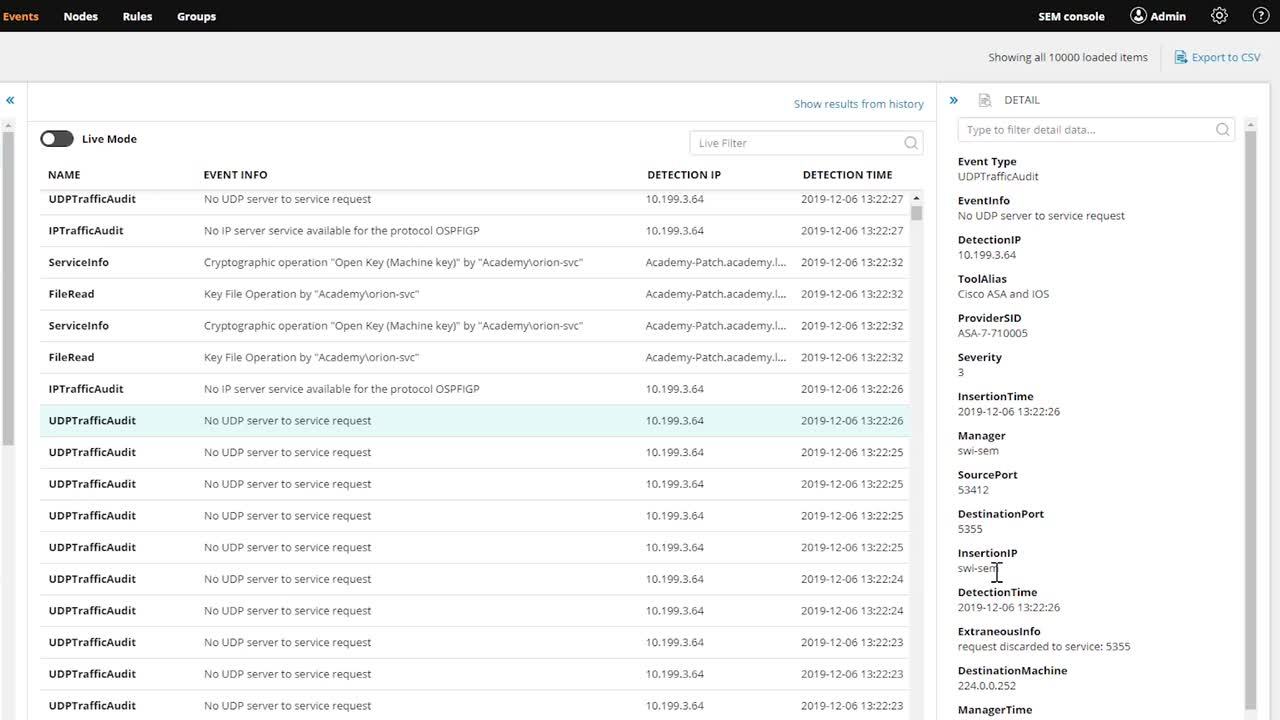
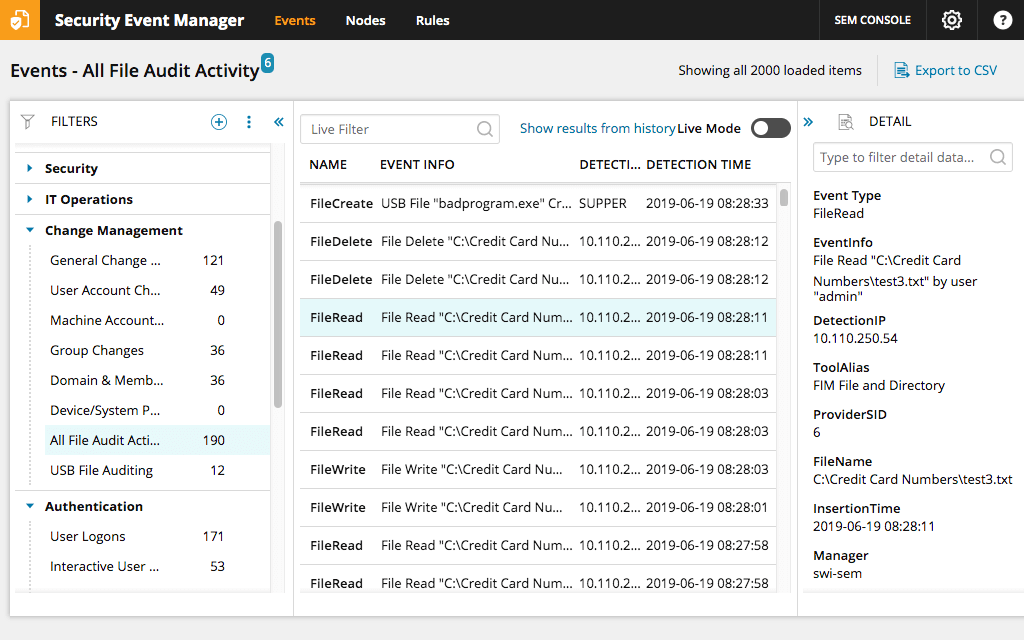
Once the logs are collected, parsed, and restructured, users need to be sure they can easily view them as needed. The final step in the log analysis process is to display all logs on a single, centralized dashboard. Having all logs on a single dashboard makes it easy to search for specific events, correlate data from different parts of a network, and generate reports with ease.
Log analysis is important for many reasons. Logs are like the watchtowers of a network: the information contained in them can help organizations obtain a bird’s-eye view of network events and activities.
Drilling down even further, log analysis is important because it provides organizations several IT benefits. For one, it can help admins improve network security. Routers, firewalls, and other IT hardware all generate logs that store daily network transactions, which can act as clues to suspicious network activity.
Additionally, log analysis can help IT teams improve their network health and performance. With active log analysis and management, IT teams can use the generated insights to diagnose system vulnerabilities and improve troubleshooting. As an example, an archive of logs around a specific network incident can help IT teams understand which network processes led to a specific bottleneck.
Analyzing event logs in real time can also help admins improve their resource management. By monitoring current logs, IT teams can identify smaller issues with more speed and act before a small hiccup creates additional, more severe, network problems.
And finally, log analysis and management can be a great way for IT teams to demonstrate compliance. It’s important to have quick access to security audit logs, which can take a long time to generate without a log analysis system in place. With ongoing event log management systems at the ready, you can speed up the reporting process significantly.
SolarWinds Security Event Manager is a full-stack network software suite with a range of built-in capabilities, including event log analysis. As an event log analyzer, SEM is a reliable, enterprise-grade log file monitoring tool, ideal for organizations of all sizes.
SEM’s event log analyzer can be used to centralize, collect, and standardize network logs from routers, servers, switches, and more, so IT teams can more easily manage, monitor, search, and query the records.
SEM enables IT teams to use real-time event correlation—with either ad hoc or custom rules—to identify and act on suspicious network activities. This continuous user activity monitoring empowers admins to more quickly identify and troubleshoot potential network problems.
An event log analyzer, sometimes referred to as a system log viewer, can be used to optimize network performance and health, improve system security, and help organizations remain compliant with industry auditors.
Logs contain tons of valuable insights to help IT teams trace and solve issues, and as such, they need to be collected and analyzed if they’re to provide value. The issue is, they’re generated at a near-constant rate and in large volumes.
A log file analyzer is designed to help IT teams solve this issue by automating the log collection and analysis processes, so IT teams can more easily turn raw data into valuable information.
To analyze event viewer logs, IT teams must follow a series of steps, the first of which is to collect all the logs generated on the network.
The next step in log analysis to reformat the collected log data into a single structure. Because logs are generated by different devices and applications, many of which are made by different manufacturers, run on different operating systems, and are seldom structured in the same format. By reformatting the logs into a uniform structure, IT teams can more easily extract valuable insights from them and better monitor them as desired.
Once the logs are collected, parsed, and restructured, users need to be sure they can easily view them as needed. The final step in the log analysis process is to display all logs on a single, centralized dashboard. Having all logs on a single dashboard makes it easy to search for specific events, correlate data from different parts of a network, and generate reports with ease.
Log analysis is important for many reasons. Logs are like the watchtowers of a network: the information contained in them can help organizations obtain a bird’s-eye view of network events and activities.
Drilling down even further, log analysis is important because it provides organizations several IT benefits. For one, it can help admins improve network security. Routers, firewalls, and other IT hardware all generate logs that store daily network transactions, which can act as clues to suspicious network activity.
Additionally, log analysis can help IT teams improve their network health and performance. With active log analysis and management, IT teams can use the generated insights to diagnose system vulnerabilities and improve troubleshooting. As an example, an archive of logs around a specific network incident can help IT teams understand which network processes led to a specific bottleneck.
Analyzing event logs in real time can also help admins improve their resource management. By monitoring current logs, IT teams can identify smaller issues with more speed and act before a small hiccup creates additional, more severe, network problems.
And finally, log analysis and management can be a great way for IT teams to demonstrate compliance. It’s important to have quick access to security audit logs, which can take a long time to generate without a log analysis system in place. With ongoing event log management systems at the ready, you can speed up the reporting process significantly.
SolarWinds Security Event Manager is a full-stack network software suite with a range of built-in capabilities, including event log analysis. As an event log analyzer, SEM is a reliable, enterprise-grade log file monitoring tool, ideal for organizations of all sizes.
SEM’s event log analyzer can be used to centralize, collect, and standardize network logs from routers, servers, switches, and more, so IT teams can more easily manage, monitor, search, and query the records.
SEM enables IT teams to use real-time event correlation—with either ad hoc or custom rules—to identify and act on suspicious network activities. This continuous user activity monitoring empowers admins to more quickly identify and troubleshoot potential network problems.
Security Event Manager
Collecting logs from different sources can feel like herding cats without the right tool.
Cutting through the noise to quickly get to the logs you need doesn’t have to be difficult.
Identifying suspicious behavior faster, with less manual effort and less security expertise, is possible.