- Events
-
Partners
- Government
- Customer Portal
- Contact Us
- Contact Sales
-
English
SolarWinds® Server & Application Monitor (SAM) Java monitoring tools are designed to proactively monitor Java application servers and send alerts on issues before they become major problems.
Using SAM, you can monitor key Java application server metrics, such as:
SolarWinds SAM Java monitoring tools use SNMP and JMX protocols to allow you to proactively monitor Java application servers, including JBoss, WebLogic, WebSphere, Oracle, and Tomcat.
SAM has over 1,200 monitoring templates and template customization features, enabling users to monitor JVMs from different vendors and across different servers, including in hybrid environments.
Java monitoring refers to tracking performance and health metrics for applications built with Java and servers supporting Java applications. Java monitoring helps businesses ensure they’re sufficiently supporting their Java-built resources.
Java is a popular development language ideal for most object-oriented programming tasks. And since Java applications are platform-independent, Java development is easily adaptable to different computers and operating systems. Java applications can be added by installing Java Virtual Machines (JVMs) in cloud or hybrid environments. Due to the prevalence of Java programs, developers are likely running multiple Java applications using multiple servers on a JVM. By running Java applications on JVMs instead of physical hardware, organizations can help reduce costs by increasing computing power without additional investment in new hardware.
Running multiple Java applications, however, can be resource-intensive, sometimes causing a strain on memory and CPU. To provide the best experience for end users, Java developers must ensure Java applications are consistently running optimally by identifying and troubleshooting Java performance problems as they occur.
Monitoring Java performance typically begins at the application development stage and continues through QA and production. Since multiple problems impacting performance may arise during development, testing, and production, Java monitoring can be vital to optimizing Java application performance and streamlining troubleshooting processes.
Java monitoring works by analyzing the factors affecting Java application performance, such as JVM performance and the health of web servers.
Optimizing application performance requires constant debugging. Problems with application performance can come from different parts of your Java infrastructure, so you should consider these factors when monitoring Java:
Java monitoring is critical for business productivity and function. Application problems like crashed apps, if left unresolved, can cause significant revenue loss. Java monitoring is designed to provide the insights and visibility needed to maintain and improve Java application and server performance.
Monitoring JVMs typically requires monitoring both heap memory and non-heap memory. Non-heap memory supports application transactions. Heap memory is the allocated space used to deal with garbage collection. When it runs out, JVM can generate out-of-memory errors. Without monitoring Java application performance, developers may deal with crashes, slowdowns, and be unable to tell whether different applications are using CPUs and memory effectively.
Monitoring in Java environments is also important for tracking Java-specific features that can unintentionally cause performance problems. For example, Java Memory Management is an automatic garbage collection feature designed to reclaim memory by collecting and disposing obsolete objects to prevent memory leaks caused by unreachable objects still in memory. Although Java Memory Management frees developers from having to manually manage memory and CPU usage to prevent memory leaks, which can be time-consuming, it can also adversely impact application performance by causing memory fragmentation and impacting allocation. Java monitoring is built to enable developers to troubleshoot common performance problems stemming from JVMs, such as suboptimal CPU and memory usage.
Java application monitoring can also help prevent issues and streamline troubleshooting of performance problems in development and live production environments. Developers who have Java monitoring insights can more easily determine whether Java applications are running as expected before deploying into production and have the data they need to quickly troubleshoot Java performance problems in production environments.
Monitoring tools for Java applications can be open-source or paid software built to monitor Java application performance on different levels, from operating systems and JVMs to performance metrics for web services and APIs.
Monitoring tools to track Java application metrics can measure application performance in the production system, such as user activity, response time for different web services and APIs, and alerts for server bottlenecks. Most Java monitoring tools can also collect different JVM performance data, such as heap memory usage, thread count, and load distribution.
Java performance problems may also result from other components in an infrastructure, including application interface protocols, overloaded servers, and JVMs. Performance problems for Java applications can also be an effect of deeper infrastructural problems involving operating systems and virtual hardware performance and availability. Java monitoring tools should provide performance insights from other components that could be impacting Java application performance for a fuller picture of server health.
Whether you’re looking to track memory and CPU use during development cycles or monitor servers during production, Java monitoring tools can provide the following:
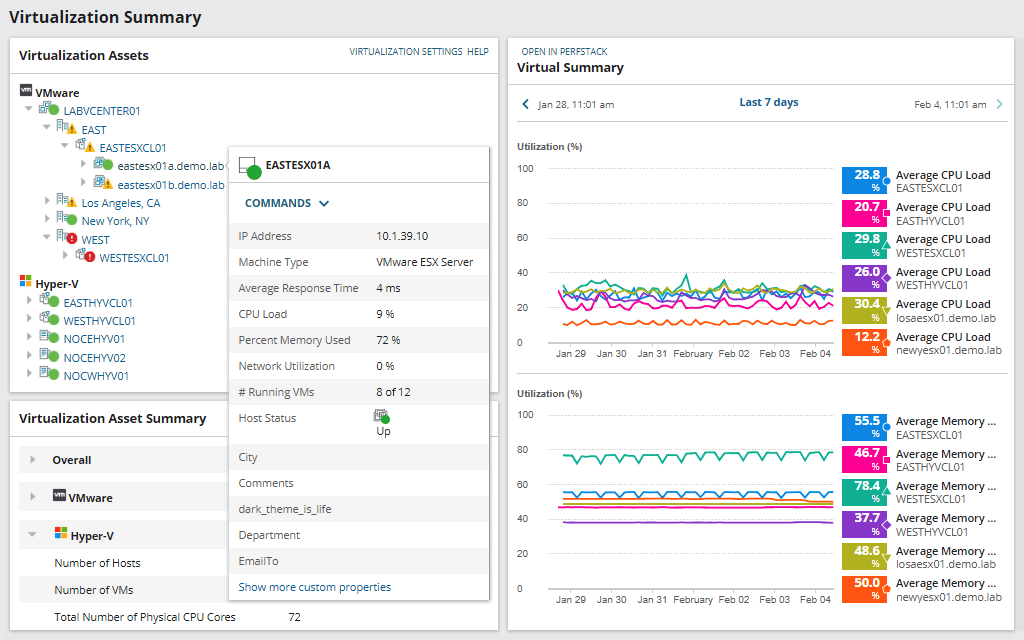
SolarWinds Server & Application Monitor is built to monitor Java application performance, so users can gain insights into physical and virtual hardware, operating systems, and JVMs.
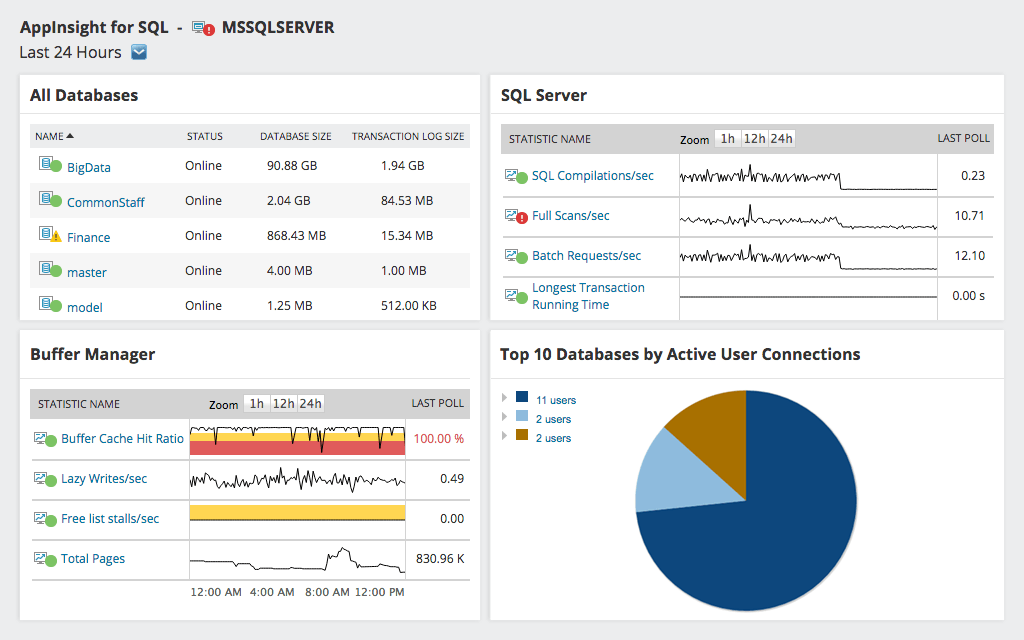
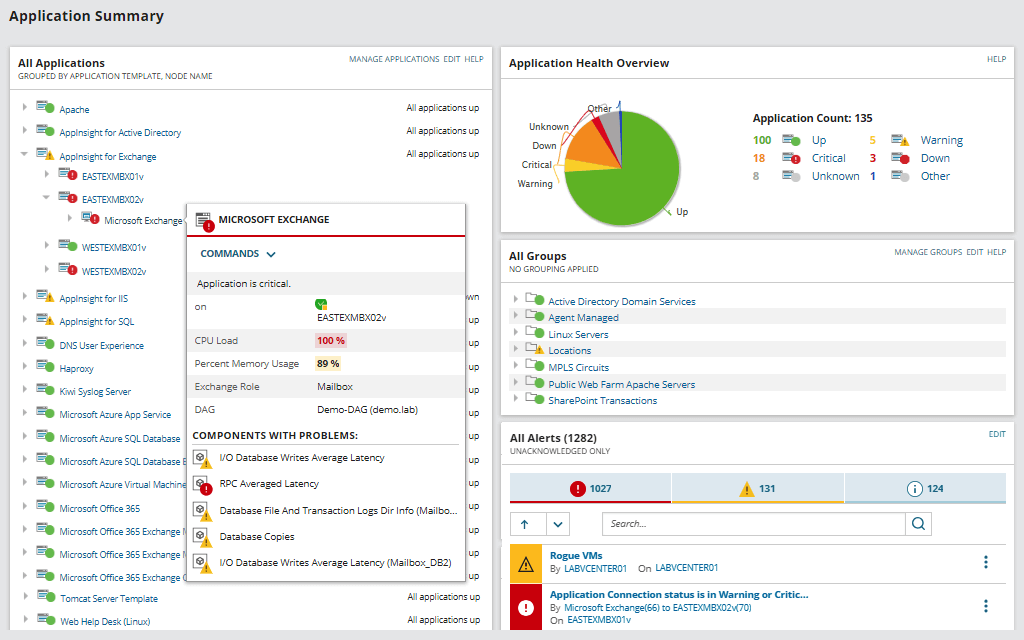
SolarWinds SAM is designed to proactively monitor JVMs by sampling key performance indicators, which can give developers insight into overall JVM performance. The Java monitoring tool in SAM is compatible with and built to consolidate multi-vendor metrics into a centralized view to make it easier to monitor key performance metrics for different vendors and Java application servers, including JBoss, GlassFish, WebSphere, Oracle WebLogic, and Tomcat.
SAM can also enable developers to track the performance of web service APIs to better address application issues in real time. SolarWinds SAM can notify developers to problems in production with custom and built-in alerts that can be configured to flag issues with key metrics, such as response time and latency. SAM is also designed to make it simple to run the reports you need, with its ability to easily create custom reports or run pre-made reports designed to support Java monitoring best practices.
Java monitoring refers to tracking performance and health metrics for applications built with Java and servers supporting Java applications. Java monitoring helps businesses ensure they’re sufficiently supporting their Java-built resources.
Java is a popular development language ideal for most object-oriented programming tasks. And since Java applications are platform-independent, Java development is easily adaptable to different computers and operating systems. Java applications can be added by installing Java Virtual Machines (JVMs) in cloud or hybrid environments. Due to the prevalence of Java programs, developers are likely running multiple Java applications using multiple servers on a JVM. By running Java applications on JVMs instead of physical hardware, organizations can help reduce costs by increasing computing power without additional investment in new hardware.
Running multiple Java applications, however, can be resource-intensive, sometimes causing a strain on memory and CPU. To provide the best experience for end users, Java developers must ensure Java applications are consistently running optimally by identifying and troubleshooting Java performance problems as they occur.
Monitoring Java performance typically begins at the application development stage and continues through QA and production. Since multiple problems impacting performance may arise during development, testing, and production, Java monitoring can be vital to optimizing Java application performance and streamlining troubleshooting processes.
Java monitoring works by analyzing the factors affecting Java application performance, such as JVM performance and the health of web servers.
Optimizing application performance requires constant debugging. Problems with application performance can come from different parts of your Java infrastructure, so you should consider these factors when monitoring Java:
Java monitoring is critical for business productivity and function. Application problems like crashed apps, if left unresolved, can cause significant revenue loss. Java monitoring is designed to provide the insights and visibility needed to maintain and improve Java application and server performance.
Monitoring JVMs typically requires monitoring both heap memory and non-heap memory. Non-heap memory supports application transactions. Heap memory is the allocated space used to deal with garbage collection. When it runs out, JVM can generate out-of-memory errors. Without monitoring Java application performance, developers may deal with crashes, slowdowns, and be unable to tell whether different applications are using CPUs and memory effectively.
Monitoring in Java environments is also important for tracking Java-specific features that can unintentionally cause performance problems. For example, Java Memory Management is an automatic garbage collection feature designed to reclaim memory by collecting and disposing obsolete objects to prevent memory leaks caused by unreachable objects still in memory. Although Java Memory Management frees developers from having to manually manage memory and CPU usage to prevent memory leaks, which can be time-consuming, it can also adversely impact application performance by causing memory fragmentation and impacting allocation. Java monitoring is built to enable developers to troubleshoot common performance problems stemming from JVMs, such as suboptimal CPU and memory usage.
Java application monitoring can also help prevent issues and streamline troubleshooting of performance problems in development and live production environments. Developers who have Java monitoring insights can more easily determine whether Java applications are running as expected before deploying into production and have the data they need to quickly troubleshoot Java performance problems in production environments.
Monitoring tools for Java applications can be open-source or paid software built to monitor Java application performance on different levels, from operating systems and JVMs to performance metrics for web services and APIs.
Monitoring tools to track Java application metrics can measure application performance in the production system, such as user activity, response time for different web services and APIs, and alerts for server bottlenecks. Most Java monitoring tools can also collect different JVM performance data, such as heap memory usage, thread count, and load distribution.
Java performance problems may also result from other components in an infrastructure, including application interface protocols, overloaded servers, and JVMs. Performance problems for Java applications can also be an effect of deeper infrastructural problems involving operating systems and virtual hardware performance and availability. Java monitoring tools should provide performance insights from other components that could be impacting Java application performance for a fuller picture of server health.
Whether you’re looking to track memory and CPU use during development cycles or monitor servers during production, Java monitoring tools can provide the following:
SolarWinds Server & Application Monitor is built to monitor Java application performance, so users can gain insights into physical and virtual hardware, operating systems, and JVMs.
SolarWinds SAM is designed to proactively monitor JVMs by sampling key performance indicators, which can give developers insight into overall JVM performance. The Java monitoring tool in SAM is compatible with and built to consolidate multi-vendor metrics into a centralized view to make it easier to monitor key performance metrics for different vendors and Java application servers, including JBoss, GlassFish, WebSphere, Oracle WebLogic, and Tomcat.
SAM can also enable developers to track the performance of web service APIs to better address application issues in real time. SolarWinds SAM can notify developers to problems in production with custom and built-in alerts that can be configured to flag issues with key metrics, such as response time and latency. SAM is also designed to make it simple to run the reports you need, with its ability to easily create custom reports or run pre-made reports designed to support Java monitoring best practices.
Server & Application Monitor
Perform multi-vendor Java server monitoring, including physical and virtual servers.
Enjoy a Java application monitoring tool with the metrics you need for full visibility.
Gain insight into performance issues with web service and API identification and tracking.