- Events
-
Partners
- Government
- Customer Portal
- Contact Us
- Contact Sales
-
English
Unified threat management systems are often the primary system of record for organizations trying to demonstrate compliance with IT security mandates and industry regulations. Unfortunately, these tools are often too costly or complex to use.
You can simplify your security and compliance toolset with SolarWinds Security Event Manager. SEM offers Security Information and Event Management (SIEM) capabilities with integrated and out-of-the-box compliance reporting tools for HIPAA, PCI DSS, SOX, ISO, NCUA, FISMA, FERPA, GLBA, GPG13, DISA STIG, and more.
Cyberthreat management is key to protecting your network against security threats. Without a cybersecurity threat management plan, your organization runs the risk of major data compromise and profit loss from a malicious cyberattack. With increasingly sophisticated cyberattackers, threat management is a full-time job.
There’s more to threat management than anti-malware subscriptions, firewalls, or encouraging your users to do the occasional security scan. Today’s cyberattackers can slip through basic firewall protections undetected, obtain access credentials, and establish a subtle presence within your network that can take several months to detect.
Threat management solutions require a sophisticated approach to cyberthreat management. To help make cybersecurity effective, real-time threat management tools can allow you to more quickly detect unusual events, dive into network activity logs, pick up on abnormalities in your device access, and perform other actions to catch a malicious actor before it’s too late.
Cyberthreat management tools are designed to help you better use network logs to detect unusual activity and flag potential security threats. With cyberthreat management tools, you can more easily detect abnormal activity and act when an unusual event occurs.
Automated cybersecurity products can allow you to deploy certain fixes without manually interacting with any user devices. Some of today’s cybersecurity software can offer services like temporarily disabling an account or blocking a suspicious IP address—all based on responses to auto-generated thresholds. When cyberthreat management tools are built with automation features, you can maintain a stronger network security protocol while saving time and effort.
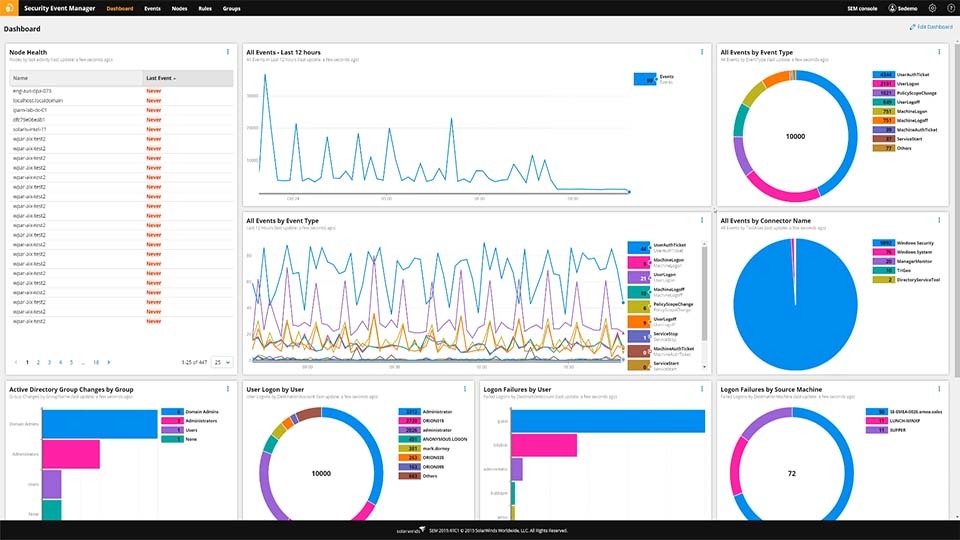
SolarWinds Security Event Manager (SEM) includes various features to help you identify unusual network activity and quickly act on incidents. SEM uses an approach based on log data, so you can identify threats using insights from real-time network activity logs in addition to historical network activity logs.
If SEM detects unusual activity—or if you decide an incident appears suspicious—you can respond to threats manually or automatically with a robust remote security response system. You can use SEM to automatically block threats to your firewall, disable applications and accounts, and more.
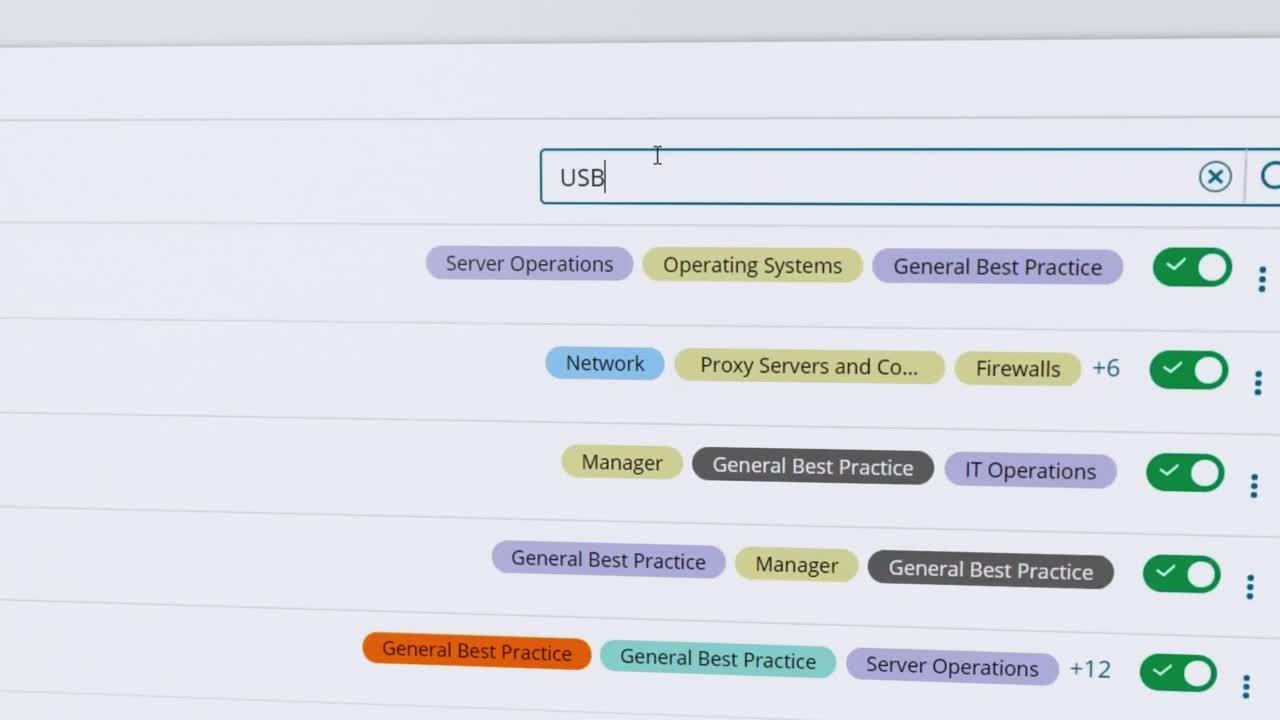
Security Event Manager is built to simplify collecting, standardizing, and cataloging log and event data, so you can more easily find important log data using simple keyword searches in both real-time and historical data using predefined or custom time periods. SEM is equipped with preconfigured filters you can turn on or off as you see fit. Filters can allow you to identify event types (or customize specific events), such as specific types of users, unusual firewall incidents, incorrect log-in attempts, and a wide range of other events, more quickly.
In addition, Security Event Manager lets you combine automated incident response software with real-time and historical log analytics for a simple, yet comprehensive approach to threat management.
Other SolarWinds tools to help secure IT environments:
Related features:
Cyberthreat management is key to protecting your network against security threats. Without a cybersecurity threat management plan, your organization runs the risk of major data compromise and profit loss from a malicious cyberattack. With increasingly sophisticated cyberattackers, threat management is a full-time job.
There’s more to threat management than anti-malware subscriptions, firewalls, or encouraging your users to do the occasional security scan. Today’s cyberattackers can slip through basic firewall protections undetected, obtain access credentials, and establish a subtle presence within your network that can take several months to detect.
Threat management solutions require a sophisticated approach to cyberthreat management. To help make cybersecurity effective, real-time threat management tools can allow you to more quickly detect unusual events, dive into network activity logs, pick up on abnormalities in your device access, and perform other actions to catch a malicious actor before it’s too late.
Cyberthreat management tools are designed to help you better use network logs to detect unusual activity and flag potential security threats. With cyberthreat management tools, you can more easily detect abnormal activity and act when an unusual event occurs.
Automated cybersecurity products can allow you to deploy certain fixes without manually interacting with any user devices. Some of today’s cybersecurity software can offer services like temporarily disabling an account or blocking a suspicious IP address—all based on responses to auto-generated thresholds. When cyberthreat management tools are built with automation features, you can maintain a stronger network security protocol while saving time and effort.
SolarWinds Security Event Manager (SEM) includes various features to help you identify unusual network activity and quickly act on incidents. SEM uses an approach based on log data, so you can identify threats using insights from real-time network activity logs in addition to historical network activity logs.
If SEM detects unusual activity—or if you decide an incident appears suspicious—you can respond to threats manually or automatically with a robust remote security response system. You can use SEM to automatically block threats to your firewall, disable applications and accounts, and more.
Security Event Manager is built to simplify collecting, standardizing, and cataloging log and event data, so you can more easily find important log data using simple keyword searches in both real-time and historical data using predefined or custom time periods. SEM is equipped with preconfigured filters you can turn on or off as you see fit. Filters can allow you to identify event types (or customize specific events), such as specific types of users, unusual firewall incidents, incorrect log-in attempts, and a wide range of other events, more quickly.
In addition, Security Event Manager lets you combine automated incident response software with real-time and historical log analytics for a simple, yet comprehensive approach to threat management.
Other SolarWinds tools to help secure IT environments:
Related features:
Security Event Manager
Unify and extract actionable intelligence from all your logs in real time.
Expedite threat response against malicious IPs, accounts, applications, and more.
Get out-of-the-box compliance reporting for HIPAA, PCI DSS, SOX, ISO, and more.