- Events
-
Partners
- Government
- Customer Portal
- Contact Us
- Contact Sales
-
English
Making sure a network and its devices are up and running is essential for any business. SolarWinds® Network Performance Monitor (NPM) offers multi-vendor network uptime monitoring solutions to help you reduce downtime and ensure business service delivery. With fault, performance, and availability monitoring, NPM provides effective cross-stack network data correlation, hop-by-hop network path analysis, and much more.
Additionally, the capacity forecasting, alerting, and reporting feature in NPM uses customizable thresholds based on peak and average usage to automatically calculate exhaustion dates.
Using intelligent alerting, NPM allows you to identify notable changes to your network uptime. NPM offers hundreds of prepackaged alerts for network performance metrics, which include uptime metrics and unusual performance delays. In addition to out-of-the-box uptime alerts, you can create custom alerts for your specific network monitoring needs.
The advanced alerting and reporting capabilities in NPM allow you to decide when and where you get alerts—and who is the recipient. By defining alert conditions with NPM’s notification software, you can define the conditions of your alerts, create trigger conditions, and specify which of your team members will receive a notification.
With the user-friendly NetPath™ feature, Network Performance Monitor can make it easier to get your network back up and running after a bottleneck. Visualized data allows you to quickly gain hop-by-hop insight into what’s occurring both inside and outside the network with detailed insight into performance, traffic, and configuration.
With NetPath, network admins can quickly determine your network’s mean-time-to-innocence, so you can contact external network providers when they are having issues that affect your ability to achieve internet connectivity.
When downtime occurs, addressing the issue quickly is crucial for maintaining business productivity. The network uptime monitor in SolarWinds NPM is built to help you expedite the troubleshooting process by facilitating data correlation. With NPM, you can use cross-stack network data correlation to accelerate root cause identification—simply drag and drop network performance metrics on a common timeline, and gain immediate visual insight into your network data.
NPM allows you to automatically map devices, performance metrics, link utilization, and wireless coverage, so you have a clear view of everything occurring in your network. Using automated data correlation, you can troubleshoot outages or other issues before they affect client networks and your business.
Network uptime monitoring is defined as the process of determining how often the various elements of your network are working (up) or not working (down). Uptime is typically measured on a scale from 1 to 100 percent, where the higher your uptime number is, the more often your devices are available and functioning correctly.
Keeping track of network device uptime and downtime can help you understand your network better and improve performance. Boosting network performance is essential for any organization, as downtime can result in unhappy end users who leave your websites due to slow load times, or network users who are unable to do their work.
Network uptime monitoring involves keeping track of the elements in your network that can contribute to downtime. Some of the most common downtime issues a network can experience include server failures, network outages, power outages, application errors, user surges or spikes, storage failures, and human errors.
Manually monitoring uptime can be challenging, and lacking visibility outside your network can impede your ability to identify potential issues.
Using uptime monitoring software can help you more easily track key metrics to troubleshoot outages, generate downtime reports, and automatically alert you when performance problems require your attention more easily.
Network uptime monitoring software involves tracking key metrics that can indicate when different elements of your network are up and down and by polling your network devices at regular intervals, typically using either Windows Management Instrumentation (WMI) or Simple Network Management Protocol (SNMP), to determine when a node is down.
The first step of effective uptime monitoring is discovering the devices on your network you want to monitor. You can select which specific devices you want to monitor and add them (along with any specific components or processes) for monitoring. Some tools can monitor services hosted off-site, so you can see if your downtime may be caused by issues outside of your network.
Once you’ve added your devices, including routers, switches, and other important infrastructure, your network uptime monitor can help you track uptime for your monitored nodes alongside other key metrics tied to uptime, such as performance and availability.
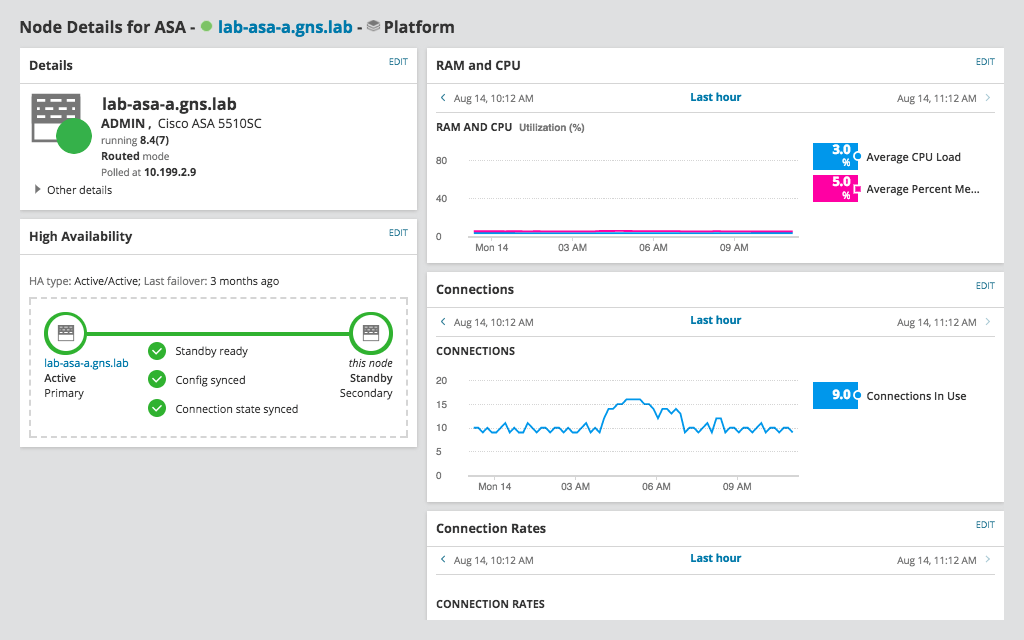
A quality network uptime monitoring tool can display the results of this monitoring in a dashboard to increase visibility and help you more quickly identify issues that may be interfering with uptime. Additionally, the tool can notify you whenever it detects a problem that may be causing downtime, giving you the insight you need to identify the root cause of the problem and troubleshoot a resolution. Some tools can also provide capacity forecasting to help you predict your future needs, which can help prevent unexpected outages.
Network Performance Monitor offers an intuitive approach to uptime monitoring that allows IT admins to learn about performance issues as soon as they arise. One of the standout features of NPM is its real-time monitoring and alert system, which is automatically available with your SolarWinds platform. With hundreds of pre-packaged alerts, you can identify which nodes and services are facing performance issues without manual monitoring. The tool’s real-time alerts are also highly customizable, with the option to define specific nesting conditions and triggers based on network topology.
Another useful feature of NPM is NetPath, which offers comprehensive visibility into your network environment. The NetPath feature allows you to monitor services outside your network, and how they affect your end-user experience, for a complete view into your application performance.
Before you can begin uptime monitoring, you need to understand which nodes are available for monitoring. With NPM, you can create custom reports for each of your network nodes, so you can understand the availability of devices and the layout of your network.
To create a new report on network node availability, you will begin on NPM’s Layout Builder feature. From there, you can add components of your node report, based on the resources you have discovered in your network. Once you have selected resources for reporting, simply name and create your report.
The report will show node availability in real time, so you can understand exactly where bottlenecks are occurring and where to redirect your resources.
Uptime monitoring requires you to monitor a wide range of different network metrics. One of the most important metrics in overall network health is interface monitoring—tracking the status and health of your network interfaces. With SNMP polling, NPM allows you to create customizable thresholds for interface performance metrics, from errors to data utilization and interface downtime. Using NPM’s Health Summary widget, you can quickly and easily view interface metrics in real time. Troubleshooting slow network performance is much easier with intuitive interface tracking.
Understanding network downtime is another crucial part of uptime monitoring. NPM allows you to track interface downtime, with customizable alerting thresholds. The Interface Downtime widget provides an intuitive view of downtime metrics from your interface nodes. For faster performance, downtime monitoring can be disabled on nodes if necessary.
With SolarWinds NPM, you can identify and troubleshoot network uptime starting with real-time uptime monitoring alerts. The first step in network troubleshooting is to identify the problem—and your NPM uptime monitoring report is here to help. NPM helps you to understand which nodes are out of service as soon as downtime occurs, with a red square on your Nodes with Problems widget. A gray square on the widget indicates unknown interface status.
Once you’ve established that there is a network performance issue, you can dive deep into interface metrics to identify the root cause. You can check your network topology for physical or application-layer connectivity issues, as well as bottlenecks due to low bandwidth, high utilization, or other issues.
The final step in troubleshooting is to understand your issue in depth. Using NPM’s intuitive widgets (for example: Percent Utilization, Interface Downtime, Interface Errors & Discards, Min/Max/Average Response Time), you can view a wide range of performance metrics including traffic history and packet loss over time.
Network uptime monitoring is defined as the process of determining how often the various elements of your network are working (up) or not working (down). Uptime is typically measured on a scale from 1 to 100 percent, where the higher your uptime number is, the more often your devices are available and functioning correctly.
Keeping track of network device uptime and downtime can help you understand your network better and improve performance. Boosting network performance is essential for any organization, as downtime can result in unhappy end users who leave your websites due to slow load times, or network users who are unable to do their work.
Network uptime monitoring involves keeping track of the elements in your network that can contribute to downtime. Some of the most common downtime issues a network can experience include server failures, network outages, power outages, application errors, user surges or spikes, storage failures, and human errors.
Manually monitoring uptime can be challenging, and lacking visibility outside your network can impede your ability to identify potential issues.
Using uptime monitoring software can help you more easily track key metrics to troubleshoot outages, generate downtime reports, and automatically alert you when performance problems require your attention more easily.
Network uptime monitoring software involves tracking key metrics that can indicate when different elements of your network are up and down and by polling your network devices at regular intervals, typically using either Windows Management Instrumentation (WMI) or Simple Network Management Protocol (SNMP), to determine when a node is down.
The first step of effective uptime monitoring is discovering the devices on your network you want to monitor. You can select which specific devices you want to monitor and add them (along with any specific components or processes) for monitoring. Some tools can monitor services hosted off-site, so you can see if your downtime may be caused by issues outside of your network.
Once you’ve added your devices, including routers, switches, and other important infrastructure, your network uptime monitor can help you track uptime for your monitored nodes alongside other key metrics tied to uptime, such as performance and availability.
A quality network uptime monitoring tool can display the results of this monitoring in a dashboard to increase visibility and help you more quickly identify issues that may be interfering with uptime. Additionally, the tool can notify you whenever it detects a problem that may be causing downtime, giving you the insight you need to identify the root cause of the problem and troubleshoot a resolution. Some tools can also provide capacity forecasting to help you predict your future needs, which can help prevent unexpected outages.
Network Performance Monitor offers an intuitive approach to uptime monitoring that allows IT admins to learn about performance issues as soon as they arise. One of the standout features of NPM is its real-time monitoring and alert system, which is automatically available with your SolarWinds platform. With hundreds of pre-packaged alerts, you can identify which nodes and services are facing performance issues without manual monitoring. The tool’s real-time alerts are also highly customizable, with the option to define specific nesting conditions and triggers based on network topology.
Another useful feature of NPM is NetPath, which offers comprehensive visibility into your network environment. The NetPath feature allows you to monitor services outside your network, and how they affect your end-user experience, for a complete view into your application performance.
Before you can begin uptime monitoring, you need to understand which nodes are available for monitoring. With NPM, you can create custom reports for each of your network nodes, so you can understand the availability of devices and the layout of your network.
To create a new report on network node availability, you will begin on NPM’s Layout Builder feature. From there, you can add components of your node report, based on the resources you have discovered in your network. Once you have selected resources for reporting, simply name and create your report.
The report will show node availability in real time, so you can understand exactly where bottlenecks are occurring and where to redirect your resources.
Uptime monitoring requires you to monitor a wide range of different network metrics. One of the most important metrics in overall network health is interface monitoring—tracking the status and health of your network interfaces. With SNMP polling, NPM allows you to create customizable thresholds for interface performance metrics, from errors to data utilization and interface downtime. Using NPM’s Health Summary widget, you can quickly and easily view interface metrics in real time. Troubleshooting slow network performance is much easier with intuitive interface tracking.
Understanding network downtime is another crucial part of uptime monitoring. NPM allows you to track interface downtime, with customizable alerting thresholds. The Interface Downtime widget provides an intuitive view of downtime metrics from your interface nodes. For faster performance, downtime monitoring can be disabled on nodes if necessary.
With SolarWinds NPM, you can identify and troubleshoot network uptime starting with real-time uptime monitoring alerts. The first step in network troubleshooting is to identify the problem—and your NPM uptime monitoring report is here to help. NPM helps you to understand which nodes are out of service as soon as downtime occurs, with a red square on your Nodes with Problems widget. A gray square on the widget indicates unknown interface status.
Once you’ve established that there is a network performance issue, you can dive deep into interface metrics to identify the root cause. You can check your network topology for physical or application-layer connectivity issues, as well as bottlenecks due to low bandwidth, high utilization, or other issues.
The final step in troubleshooting is to understand your issue in depth. Using NPM’s intuitive widgets (for example: Percent Utilization, Interface Downtime, Interface Errors & Discards, Min/Max/Average Response Time), you can view a wide range of performance metrics including traffic history and packet loss over time.
Network Performance Monitor
Ensure comprehensive fault monitoring and performance management for your network
Get to the root cause of downtime quickly, with intelligent network alerts
Troubleshoot effectively with hop-by-hop analysis of cloud, hybrid, and on-premises environments