- Events
-
Partners
- Government
- Customer Portal
- Contact Us
- Contact Sales
-
English
Network monitoring is the practice of continuously monitoring a network and its components for performance issues, failures, or deficiencies. Even the most well-designed network isn’t immune to slowdowns, and proactive monitoring helps you stay up to date on what’s going on in your network, so you can resolve performance issues or bottlenecks before they become full-fledged outages affecting end users.
You can use network monitoring systems to automate the most time-consuming and labor-intensive aspects of network monitoring, maximize your time and effort, and uncover key insights you might have missed with manual network monitoring.
The primary reason you should monitor your network is to proactively reduce downtime. Occasional periods of downtime are inevitable, but repeated failures and outages can be costly. IT downtime can cost businesses millions per year, while IT teams can easily spend days fixing a single downtime issue. It’s much more effective to prevent downtime from occurring in the first place whenever possible.
Network monitoring keeps you up to date on what’s going in your network, so you’re better able to spot, diagnose, and fix issues before they cause downtime. Network monitoring also ensures uptime by helping you make sure your systems stay healthy and available.
Other benefits of network monitoring include:
Network monitoring systems can be divided into three main types: active, passive, and performance. Active network monitoring systems display a network’s immediate health by routinely running tests and waiting for a response, while passive network monitoring systems only alert when a certain event has been logged, like an SNMP trap. Performance monitors collect long-term data from your network and display it in various ways for analysis. In contrast to active and passive network monitoring systems, performance monitors are typically focused on the longer term.
Admins often use a combination of these solutions to get a clear overview of system health. The best network monitoring systems share these five core features:
Here are six top network monitoring best practices for admins.
Every network is different and specific network monitoring protocols will be different as well. At the very least, every admin should monitor network speed, availability, and usage. These three factors are essential indicators of any network’s health.
If there’s an issue with network speed, you’ll probably notice it first. Bandwidth monitoring with a network monitoring system will alert you to bottlenecks and slowdowns before they start affecting end users. Monitoring network availability ensures everyone within your enterprise continues to have access to essential services like email. Finally, if you suspect one application is using up more resources than necessary and compromising other applications or devices on the network, usage monitoring will confirm it.
Beyond that, network monitoring comes down to keeping an eye on key metrics, using a network monitoring system to help you perform sophisticated analysis, and diligently following network monitoring best practices.
A network monitoring system can help you improve the performance of your network by offering end-to-end visibility. The first step to improving performance is getting a clear picture of what’s going on in your network, and only a network monitoring system can discover network devices, perform cross-stack network data correlation, uncover connections using hop-by-hop analysis for on-premises, hybrid, and cloud services, and measure network health on a large scale.
Once you’ve gathered all this information, you’re better equipped to tackle network performance issues. You can make sure your network is configured properly, isolate root causes, identify and eliminate bottlenecks, drill down on resource usage, and more.
Network monitoring is the practice of continuously monitoring a network and its components for performance issues, failures, or deficiencies. Even the most well-designed network isn’t immune to slowdowns, and proactive monitoring helps you stay up to date on what’s going on in your network, so you can resolve performance issues or bottlenecks before they become full-fledged outages affecting end users.
You can use network monitoring systems to automate the most time-consuming and labor-intensive aspects of network monitoring, maximize your time and effort, and uncover key insights you might have missed with manual network monitoring.
The primary reason you should monitor your network is to proactively reduce downtime. Occasional periods of downtime are inevitable, but repeated failures and outages can be costly. IT downtime can cost businesses millions per year, while IT teams can easily spend days fixing a single downtime issue. It’s much more effective to prevent downtime from occurring in the first place whenever possible.
Network monitoring keeps you up to date on what’s going in your network, so you’re better able to spot, diagnose, and fix issues before they cause downtime. Network monitoring also ensures uptime by helping you make sure your systems stay healthy and available.
Other benefits of network monitoring include:
Network monitoring systems can be divided into three main types: active, passive, and performance. Active network monitoring systems display a network’s immediate health by routinely running tests and waiting for a response, while passive network monitoring systems only alert when a certain event has been logged, like an SNMP trap. Performance monitors collect long-term data from your network and display it in various ways for analysis. In contrast to active and passive network monitoring systems, performance monitors are typically focused on the longer term.
Admins often use a combination of these solutions to get a clear overview of system health. The best network monitoring systems share these five core features:
Here are six top network monitoring best practices for admins.
Every network is different and specific network monitoring protocols will be different as well. At the very least, every admin should monitor network speed, availability, and usage. These three factors are essential indicators of any network’s health.
If there’s an issue with network speed, you’ll probably notice it first. Bandwidth monitoring with a network monitoring system will alert you to bottlenecks and slowdowns before they start affecting end users. Monitoring network availability ensures everyone within your enterprise continues to have access to essential services like email. Finally, if you suspect one application is using up more resources than necessary and compromising other applications or devices on the network, usage monitoring will confirm it.
Beyond that, network monitoring comes down to keeping an eye on key metrics, using a network monitoring system to help you perform sophisticated analysis, and diligently following network monitoring best practices.
A network monitoring system can help you improve the performance of your network by offering end-to-end visibility. The first step to improving performance is getting a clear picture of what’s going on in your network, and only a network monitoring system can discover network devices, perform cross-stack network data correlation, uncover connections using hop-by-hop analysis for on-premises, hybrid, and cloud services, and measure network health on a large scale.
Once you’ve gathered all this information, you’re better equipped to tackle network performance issues. You can make sure your network is configured properly, isolate root causes, identify and eliminate bottlenecks, drill down on resource usage, and more.
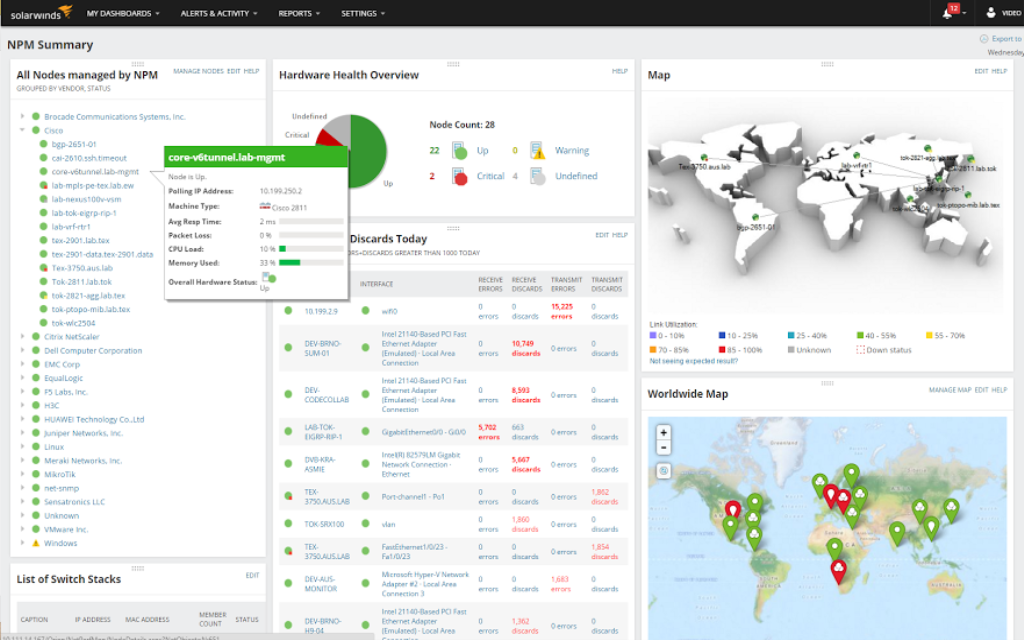
Network Performance Monitor
Achieve ultimate end-to-end visibility across your entire network, including wireless devices.
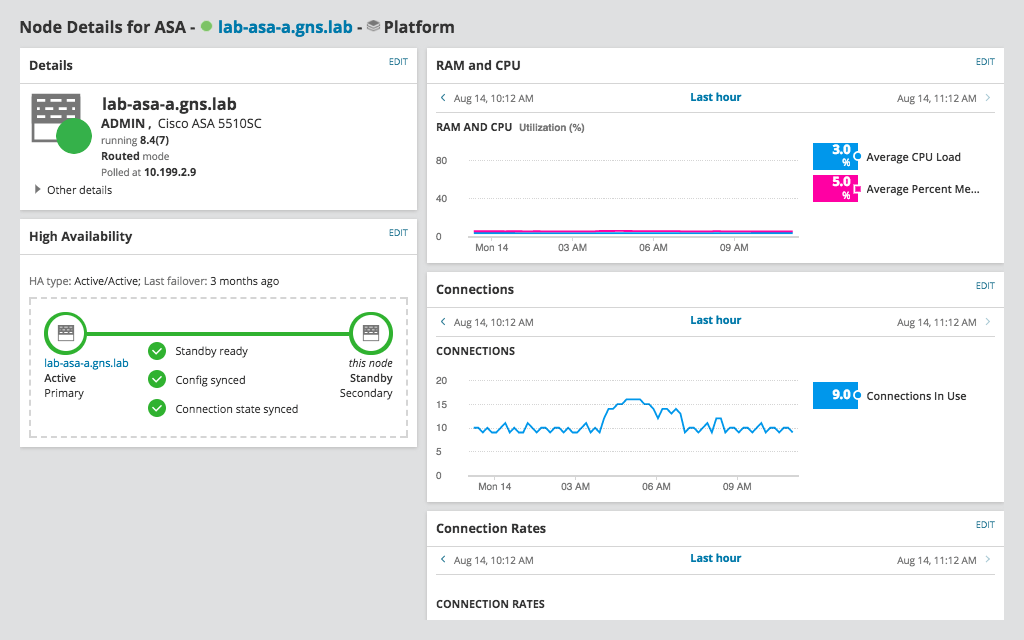
Troubleshoot quickly and effectively.
Drill down on root causes using intelligent alerts.