- Events
-
Partners
- Government
- Customer Portal
- Contact Us
- Contact Sales
-
English
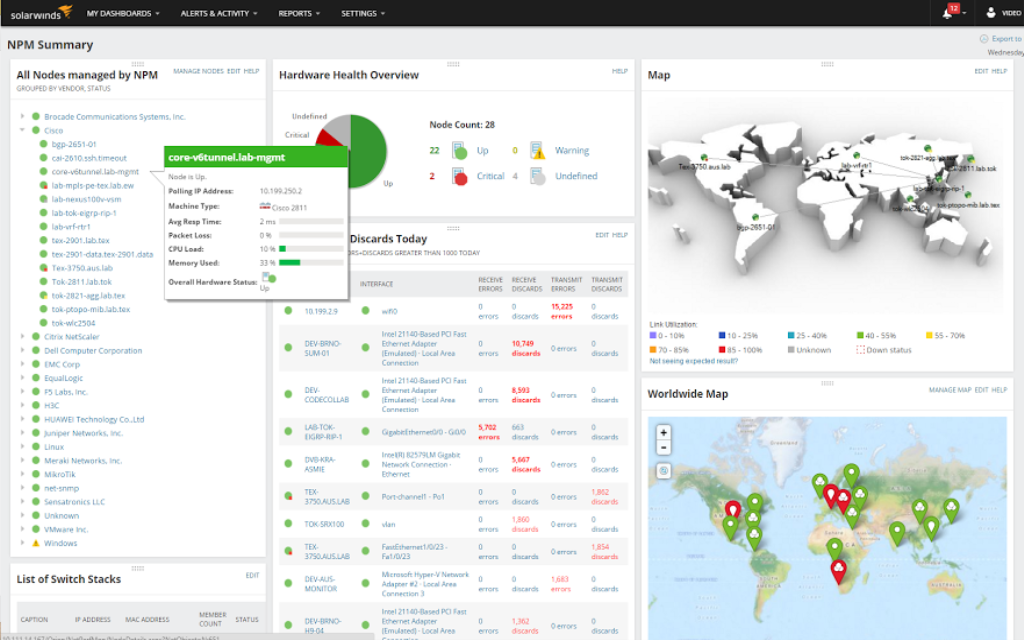
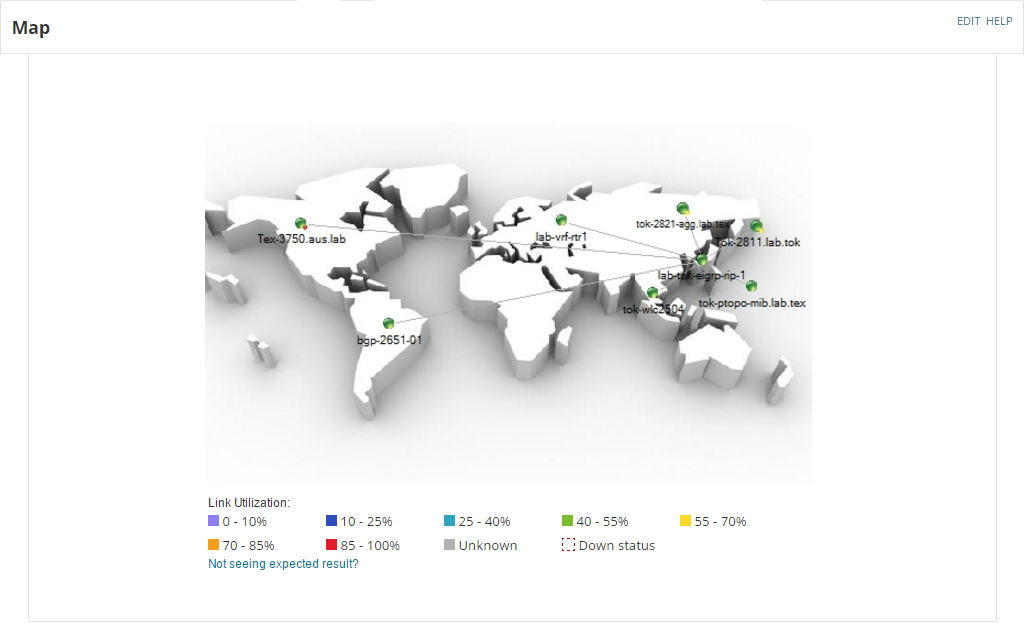
In complex networks, it’s important to create topology maps to stay up-to-date with the ins and outs of users and devices. With NPM, users can leverage SNMP scanning to easily detect network topology and create maps visually displaying network performance metrics. This allows users to view and update the physical and logical relationships between network devices like routers, switches, and servers.
SNMP scanning is the process of using a Simple Network Management Protocol (SNMP) to collect valuable data about the state of devices on a network.
SNMP polling helps users gather information about the managed devices on their network, and they can use this information to modify and regulate network settings and activity.
Although devices can utilize several protocols, SNMP is one of the most popular choices for its ease of use and ubiquity. This ubiquity is important because users need their devices to be able to connect to this network, even if they’re made by different manufacturers. There are many SNMP devices available, including switches, bridges, routers, access servers, computer hosts, hubs, and printers.
SNMP scanning can help users with important IT processes like network monitoring, asset management, and device discovery.
Since SNMP monitoring aids IT teams in gathering information about devices and their statuses on a network, it’s become an integral component in building custom network monitoring solutions for businesses.
SNMP also helps users generate network inventories with a list of connected devices and information about the software installed on them. With these SNMP-generated insights, network admins can improve their IT asset management practices and save valuable time and resources.
By performing SNMP device discovery, users can improve their understanding of their network topology and identify where certain devices are on their network. This allows IT teams to better allocate bandwidth and set network policies with authority.
An SNMP discovery tool works by helping users discover all the devices in a network falling within a specific IP range. This software solution scans a range of IP addresses to check which devices are accessing the network.
SNMP-enabled nodes have object identifiers (OIDs), which are correlated with information within the management information base (MIB). An SNMP discovery tool works by sending messages called protocol data units (PDUs) to the devices on your network. If you have SNMP-enabled devices, they’ll receive these data units in the form of “GET requests.”
Additionally, SNMP scanning tools use SNMP traps. SNMP trap messages are the primary method of communication between SNMP agents (the software component of SNMP) and SNMP managers (the authorities sending requests to the SNMP agents).
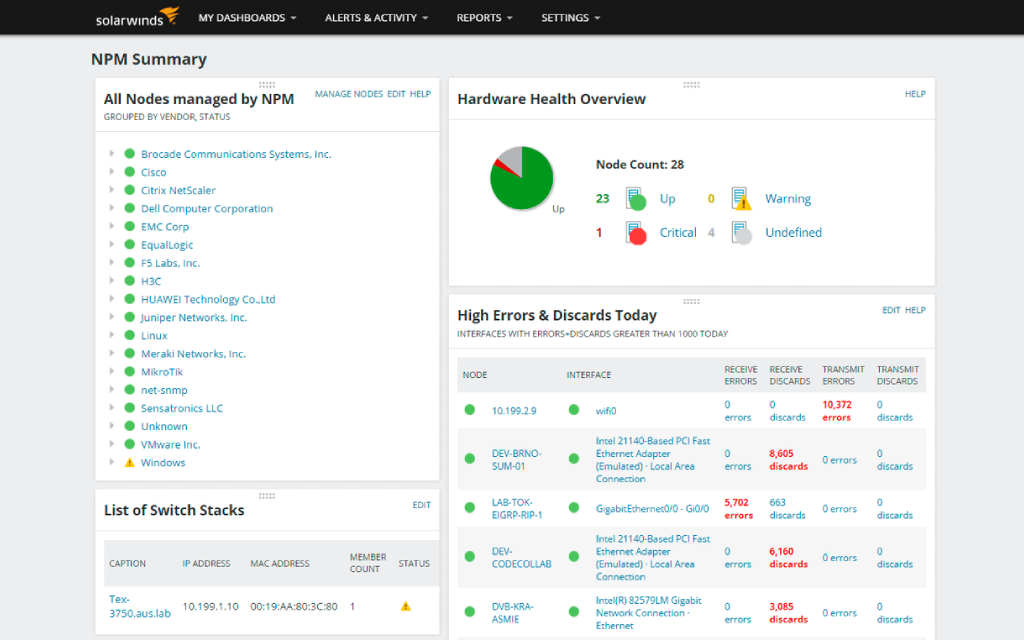
With the SNMP scanner in SolarWinds® Network Performance Monitor, users can automate the SNMP sweep and device discovery process to easily collect detailed information about the devices on their network.
Once devices are discovered on your network and their status information is collected, the SNMP scanner can help users create network maps displaying device performance metrics and status health.
The SNMP scanner also helps users poll MIB device information to better monitor network faults and availability. With these metrics, users can improve network performance and establish baselines to ensure the network remains healthy.
SNMP scanning is the process of using a Simple Network Management Protocol (SNMP) to collect valuable data about the state of devices on a network.
SNMP polling helps users gather information about the managed devices on their network, and they can use this information to modify and regulate network settings and activity.
Although devices can utilize several protocols, SNMP is one of the most popular choices for its ease of use and ubiquity. This ubiquity is important because users need their devices to be able to connect to this network, even if they’re made by different manufacturers. There are many SNMP devices available, including switches, bridges, routers, access servers, computer hosts, hubs, and printers.
SNMP scanning can help users with important IT processes like network monitoring, asset management, and device discovery.
Since SNMP monitoring aids IT teams in gathering information about devices and their statuses on a network, it’s become an integral component in building custom network monitoring solutions for businesses.
SNMP also helps users generate network inventories with a list of connected devices and information about the software installed on them. With these SNMP-generated insights, network admins can improve their IT asset management practices and save valuable time and resources.
By performing SNMP device discovery, users can improve their understanding of their network topology and identify where certain devices are on their network. This allows IT teams to better allocate bandwidth and set network policies with authority.
An SNMP discovery tool works by helping users discover all the devices in a network falling within a specific IP range. This software solution scans a range of IP addresses to check which devices are accessing the network.
SNMP-enabled nodes have object identifiers (OIDs), which are correlated with information within the management information base (MIB). An SNMP discovery tool works by sending messages called protocol data units (PDUs) to the devices on your network. If you have SNMP-enabled devices, they’ll receive these data units in the form of “GET requests.”
Additionally, SNMP scanning tools use SNMP traps. SNMP trap messages are the primary method of communication between SNMP agents (the software component of SNMP) and SNMP managers (the authorities sending requests to the SNMP agents).
With the SNMP scanner in SolarWinds® Network Performance Monitor, users can automate the SNMP sweep and device discovery process to easily collect detailed information about the devices on their network.
Once devices are discovered on your network and their status information is collected, the SNMP scanner can help users create network maps displaying device performance metrics and status health.
The SNMP scanner also helps users poll MIB device information to better monitor network faults and availability. With these metrics, users can improve network performance and establish baselines to ensure the network remains healthy.
Network Performance Monitor
Improve network fault monitoring and performance management by leveraging SNMP scanning
Use SNMP device discovery to create topology maps displaying physical and logical relationships
Discover network devices more quickly with an SNMP discovery tool