- Events
-
Partners
- Government
- Customer Portal
- Contact Us
- Contact Sales
-
English
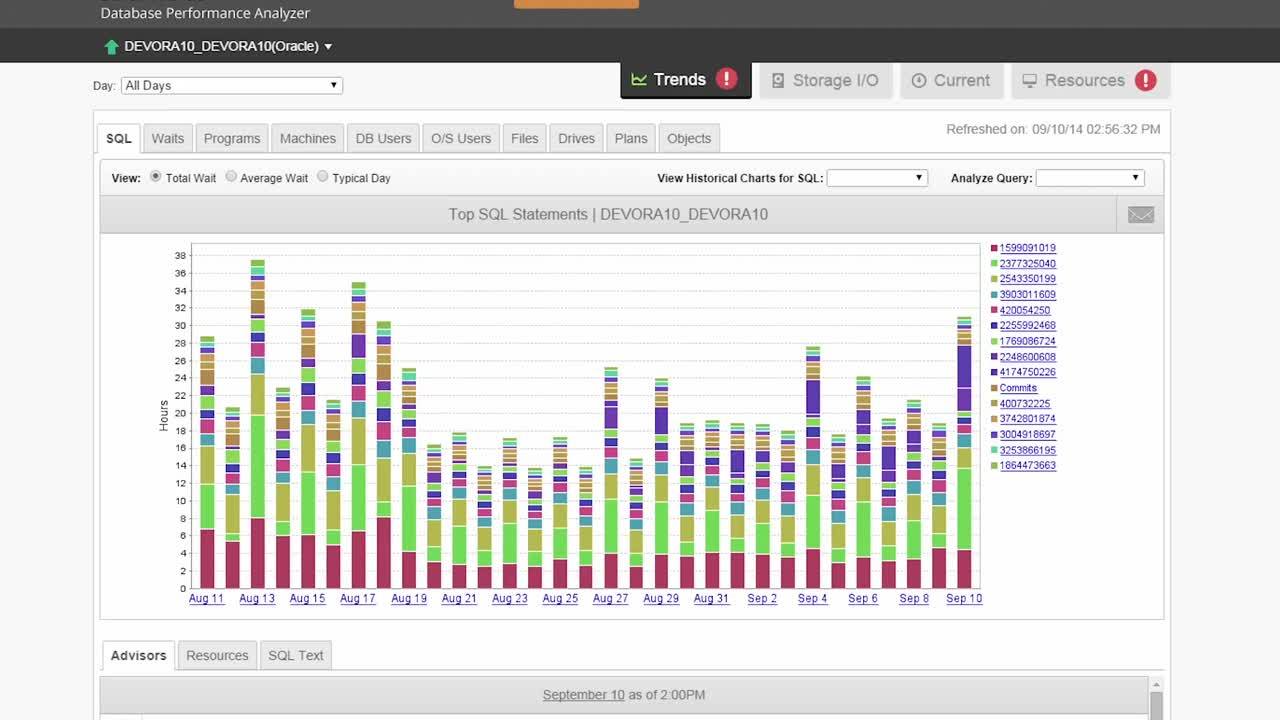
Monitoring Oracle database performance can be a full-time job, but with the right tools it shouldn’t have to be. SolarWinds® Database Performance Analyzer (DPA) is designed to take care of the work for you. With 24/7 performance monitoring of your Oracle database—and historic monitoring and analysis—you have the information needed to answer the question of why performance was or is bad. You can even get a sense of where your performance is headed, thanks to collected Oracle system trends.
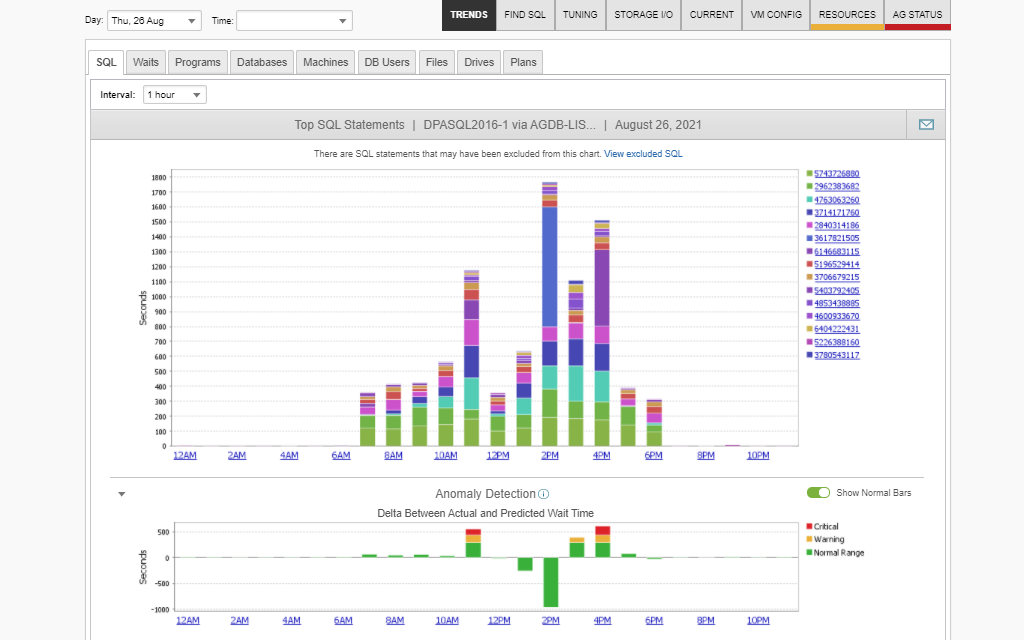
SolarWinds DPA is built to not only collect the metrics you need to better understand your Oracle database performance, but also to give you the actionable insights you need to more easily resolve any issues. The anomaly detection features in DPA are powered by machine learning, meaning the tool’s ability to identify deviations from the norm can get better the more you use the tool. With clear data visualizations and insights, you can also quickly identify and address the root cause of even the smallest performance issue.
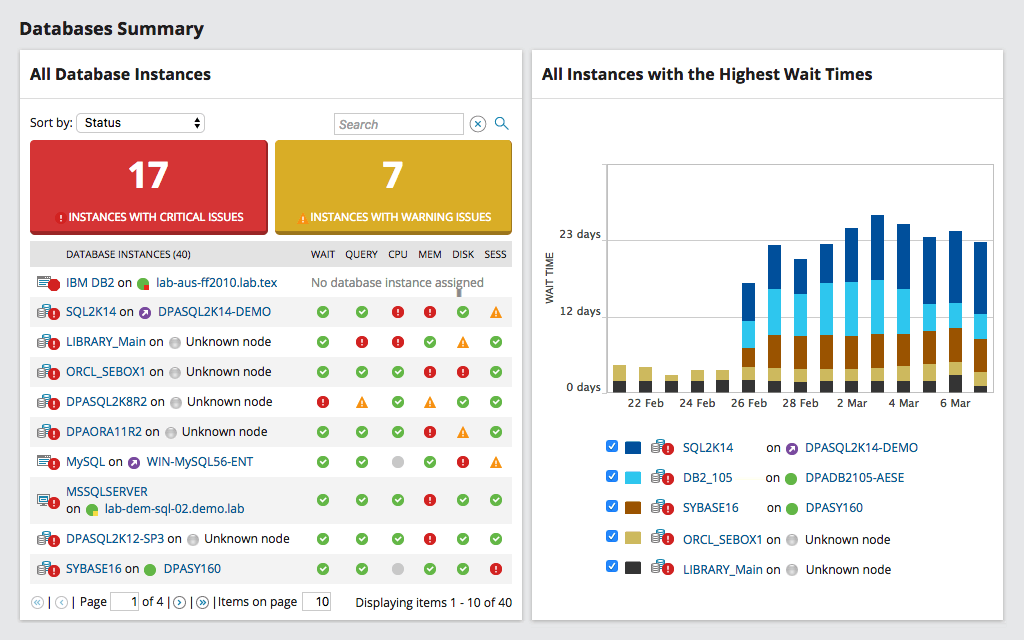
Data is only useful if you can make sense of it. DPA wants to help you get to the bottom of performance issues quickly and easily. It comes with comprehensive alerting and reporting designed to keep you updated whenever a metric reaches or crosses critical thresholds and needs your attention. The intuitive interface can make it easier for you to see data from a distance and then dive into the key metrics. DPA also helps keep teams on the same page with reports capable of being customized to inform a wide range of stakeholders from DBAs to engineers, so you share the same performance story.
Get More on Oracle Database Tools
Do you find yourself asking…
Oracle database performance monitoring tools are tools designed to monitor Oracle database metrics to detect and identify the root cause of performance issues, so you can resolve them before they have a significant impact on performance.
The Oracle database is a relational database management system (RDBMS). In a relational database, information is consolidated and stored until an application needs to retrieve it and use it. Oracle is considered one of the most widely used and widely trusted relational database engines. In the Oracle database, users can access data objects directly through structured query language (SQL).
Oracle tools for database performance monitoring are designed to identify and help reduce bottlenecks to accelerate database performance times. In fact, some Oracle database performance monitoring tools, like SolarWinds Database Performance Analyzer, are built to let you change your Oracle database level to the lower-cost Oracle Standard Edition (SE) from the more robust and more expensive Oracle Enterprise Edition (EE) without compromising your Oracle performance monitoring.
Oracle database performance monitoring tools track key metrics tied to the performance of the Oracle database and alert you when any of those metrics indicate a potential problem causing performance degradation. The tools detect and help you remedy bottlenecks and help improve application service.
Preventing slow performance in the Oracle database takes more effort if you try to do it manually. To find the root cause of any problem within the database, you need to consider all of the elements of the database, from memory and RAM to the Parse to Execute ratio. It also involves looking at the levels making up the RDBMS, including the client machine, application server, and the interactions between the two.
With an Oracle database performance monitoring tool, monitoring your Oracle database becomes much simpler. The tool monitors your databases 24/7, collecting and storing data on key metrics tied to performance. The tool then alerts you when any of those metrics indicate a potential problem, either because they cross a preset threshold or because they deviate from learned baselines.
The best tools can even organize this data in an understandable way, so you can easily find both current and historical metrics to help you resolve the issue. These tools can also provide reports to summarize their findings, letting you view highlights without needing to constantly keep tabs on the tool’s collected metrics in real time.
Databases are essential to the function of any organization. They run applications, create reports with business intelligence statistics, and more. When an Oracle database experiences performance degradation, there can be significant consequences for end users, which can lead to violations of service level agreements (SLAs).
Oracle database performance monitoring tools are important because they help to prevent these database slowdowns and improve performance overall. The tools help to identify and eliminate performance bottlenecks, improve application service, and even save you money.
Even though Oracle is designed to function with high-volume usage, the system can still fail. Oracle database performance monitoring tools help ensure those failures are caught and addressed quickly, before they have a significant impact on users. In addition, these tools help save money, given preventing poor database performance means preventing broken SLAs and unhappy customers.
Oracle database performance monitoring tools track metrics from across your databases and detect potential problems before they cause a serious slowdown in Oracle database performance.
With an Oracle database performance monitoring tool, every second of every session on the database will be monitored, 24/7. This level of monitoring means the tool can give you insight about everything happening within your database, including wait times, queries, plans, changes, and resources. With historical analysis, an Oracle database performance monitoring tool can also show how current database performance compares to historical performance and where the shift occurred.
The purpose of this constant monitoring is to identify bottlenecks and other potential performance problems. To do this, Oracle database performance monitoring tools monitor a wide range of metrics connected to Oracle database performance, including:
Oracle database performance monitoring tools also help you identify inefficient, high-impact PL/SQL aggregated by tables to find opportunities for indexing. To do this, the tools offer an “X marks the spot” actual workload analysis.
Additionally, Oracle database performance monitoring tools get better with time. This is because they use machine learning to power their anomaly detection. As the learning algorithm becomes better at understanding your normal Oracle wait behavior, it can more easily detect when behavior differs from the norm. This learning can lead to faster identification of potential issues, which means faster problem resolution and less impact on Oracle performance.
SolarWinds Database Performance Analyzer is designed to be a thorough and effective Oracle database performance monitoring tool to monitor key elements of your Oracle database 24/7 and offer actionable insights not just to solve problems when they occur, but to help optimize database performance without there being any concrete problems.
DPA includes both real-time and historic monitoring to help you not only answer the question of why performance is poor now, but also why it was poor before. This combination of current and historic monitoring and analysis can also help you see where your Oracle database performance is headed and how the system is trending.
DPA uses machine learning to power its anomaly detection, meaning the tool’s ability to detect even small deviations from the norm improves as time goes on. This translates into faster detection and remediation of potential problems impacting Oracle database performance.
Metrics are only useful if you have a way to make them actionable, which is why DPA comes with comprehensive alerting and reporting, and an intuitive interface to help you make sense of the data the tool collects and the analysis it provides. This is helpful for getting to the root cause of a performance issue, like a bottleneck, quicker. These features are also useful for keeping your entire team on the same page by supporting the ability to collaborate with the extended IT organization while allowing DBAs to maintain 100% control over production servers and monitoring load. DPA can help ensure everyone has the right level of access to understand performance information and how it impacts them.
Oracle database performance monitoring tools are tools designed to monitor Oracle database metrics to detect and identify the root cause of performance issues, so you can resolve them before they have a significant impact on performance.
The Oracle database is a relational database management system (RDBMS). In a relational database, information is consolidated and stored until an application needs to retrieve it and use it. Oracle is considered one of the most widely used and widely trusted relational database engines. In the Oracle database, users can access data objects directly through structured query language (SQL).
Oracle tools for database performance monitoring are designed to identify and help reduce bottlenecks to accelerate database performance times. In fact, some Oracle database performance monitoring tools, like SolarWinds Database Performance Analyzer, are built to let you change your Oracle database level to the lower-cost Oracle Standard Edition (SE) from the more robust and more expensive Oracle Enterprise Edition (EE) without compromising your Oracle performance monitoring.
Oracle database performance monitoring tools track key metrics tied to the performance of the Oracle database and alert you when any of those metrics indicate a potential problem causing performance degradation. The tools detect and help you remedy bottlenecks and help improve application service.
Preventing slow performance in the Oracle database takes more effort if you try to do it manually. To find the root cause of any problem within the database, you need to consider all of the elements of the database, from memory and RAM to the Parse to Execute ratio. It also involves looking at the levels making up the RDBMS, including the client machine, application server, and the interactions between the two.
With an Oracle database performance monitoring tool, monitoring your Oracle database becomes much simpler. The tool monitors your databases 24/7, collecting and storing data on key metrics tied to performance. The tool then alerts you when any of those metrics indicate a potential problem, either because they cross a preset threshold or because they deviate from learned baselines.
The best tools can even organize this data in an understandable way, so you can easily find both current and historical metrics to help you resolve the issue. These tools can also provide reports to summarize their findings, letting you view highlights without needing to constantly keep tabs on the tool’s collected metrics in real time.
Databases are essential to the function of any organization. They run applications, create reports with business intelligence statistics, and more. When an Oracle database experiences performance degradation, there can be significant consequences for end users, which can lead to violations of service level agreements (SLAs).
Oracle database performance monitoring tools are important because they help to prevent these database slowdowns and improve performance overall. The tools help to identify and eliminate performance bottlenecks, improve application service, and even save you money.
Even though Oracle is designed to function with high-volume usage, the system can still fail. Oracle database performance monitoring tools help ensure those failures are caught and addressed quickly, before they have a significant impact on users. In addition, these tools help save money, given preventing poor database performance means preventing broken SLAs and unhappy customers.
Oracle database performance monitoring tools track metrics from across your databases and detect potential problems before they cause a serious slowdown in Oracle database performance.
With an Oracle database performance monitoring tool, every second of every session on the database will be monitored, 24/7. This level of monitoring means the tool can give you insight about everything happening within your database, including wait times, queries, plans, changes, and resources. With historical analysis, an Oracle database performance monitoring tool can also show how current database performance compares to historical performance and where the shift occurred.
The purpose of this constant monitoring is to identify bottlenecks and other potential performance problems. To do this, Oracle database performance monitoring tools monitor a wide range of metrics connected to Oracle database performance, including:
Oracle database performance monitoring tools also help you identify inefficient, high-impact PL/SQL aggregated by tables to find opportunities for indexing. To do this, the tools offer an “X marks the spot” actual workload analysis.
Additionally, Oracle database performance monitoring tools get better with time. This is because they use machine learning to power their anomaly detection. As the learning algorithm becomes better at understanding your normal Oracle wait behavior, it can more easily detect when behavior differs from the norm. This learning can lead to faster identification of potential issues, which means faster problem resolution and less impact on Oracle performance.
SolarWinds Database Performance Analyzer is designed to be a thorough and effective Oracle database performance monitoring tool to monitor key elements of your Oracle database 24/7 and offer actionable insights not just to solve problems when they occur, but to help optimize database performance without there being any concrete problems.
DPA includes both real-time and historic monitoring to help you not only answer the question of why performance is poor now, but also why it was poor before. This combination of current and historic monitoring and analysis can also help you see where your Oracle database performance is headed and how the system is trending.
DPA uses machine learning to power its anomaly detection, meaning the tool’s ability to detect even small deviations from the norm improves as time goes on. This translates into faster detection and remediation of potential problems impacting Oracle database performance.
Metrics are only useful if you have a way to make them actionable, which is why DPA comes with comprehensive alerting and reporting, and an intuitive interface to help you make sense of the data the tool collects and the analysis it provides. This is helpful for getting to the root cause of a performance issue, like a bottleneck, quicker. These features are also useful for keeping your entire team on the same page by supporting the ability to collaborate with the extended IT organization while allowing DBAs to maintain 100% control over production servers and monitoring load. DPA can help ensure everyone has the right level of access to understand performance information and how it impacts them.
Database Performance Analyzer
Run real-time and historical monitoring and analysis for Oracle
Gain Oracle database anomaly detection powered by machine learning
Keep entire teams on the same page with clear alerts, reports, and interfaces