- Events
-
Partners
- Government
- Customer Portal
- Contact Us
- Contact Sales
-
English
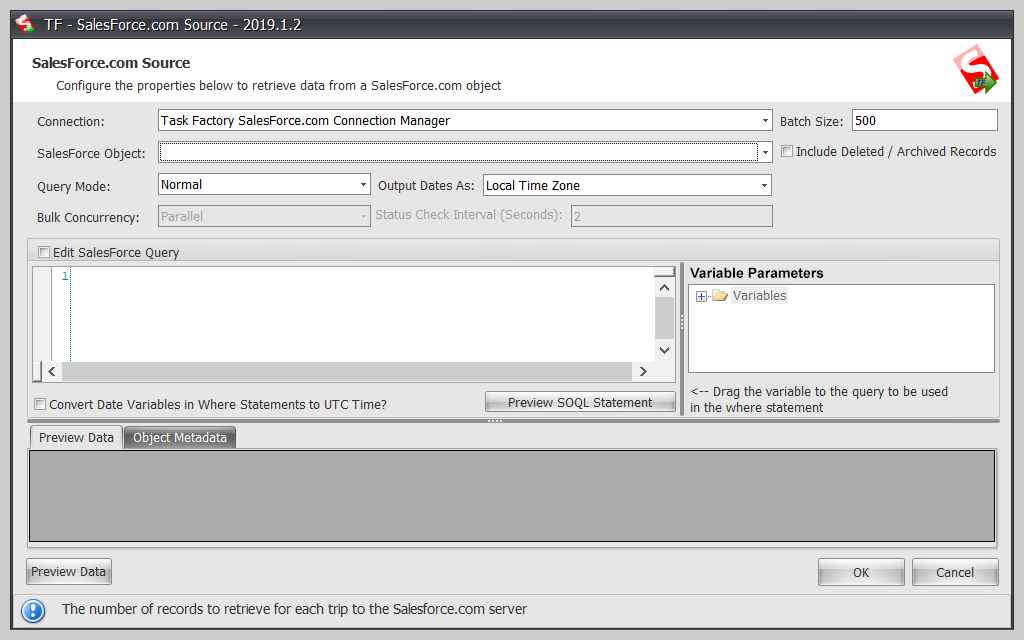
Task Factory Salesforce.com Source retrieves data from any Salesforce.com object and can be configured quickly with very little Salesforce.com experience. If you need to import data from Salesforce for in-house processing, the Salesforce.com Source allows you to retrieve data supported by the Salesforce.com Soap API like leads, accounts, contacts, and opportunities right into your SSIS data flow.
Typically within five minutes, Task Factory tool can help you pull Salesforce data into your local environment. Simply create your connection manager and point to the object you want to retrieve data from a drop-down box. Want more advanced functionality? You can also customize the query and pass variables into the query for ranged retrieval of data.
Feature highlights:
The Salesforce.com Destination* is used to send data from your local environment to your Salesforce.com account. If you need to insert, update, delete, or upsert data into any Salesforce object from within SSIS, then the Salesforce.com Destination makes it super simple with very little configuration. Supports both regular and bulk mode transfer. You can also send errors that might occur due to your data to another part of the data flow for additional cleansing.
Feature highlights:
*Must have an enterprise Salesforce.com account to use this task. This is a Salesforce.com requirement.
Task Factory
60+ high-performing SSIS components
Save time managing tedious data warehousing ETL tasks
Connect to dozens of data sources