- Events
-
Partners
- Government
- Customer Portal
- Contact Us
- Contact Sales
-
English
You can now access Task Factory® in the cloud through SolarWinds® Azure Data Factory (ADF). With Azure Data Factory V2, you can run SSIS packages in the cloud, leveraging your existing data processes. That means it is easier than ever to transport data more securely between destinations.
To use Task Factory Azure Data Factory Edition, you’ll first want to note that the Task Factory Address Verification Transform is not supported in the ADF Edition. Second, if you want to utilize the Task Factory Excel Power Refresh Task, you must install Excel on the ADF IR.
Microsoft and SentryOne have partnered to make it easy to use Task Factory within Azure Data Factory (ADF). Task Factory ADF is now available as an integrated component on the Azure-SSIS Integration Runtime (IR).
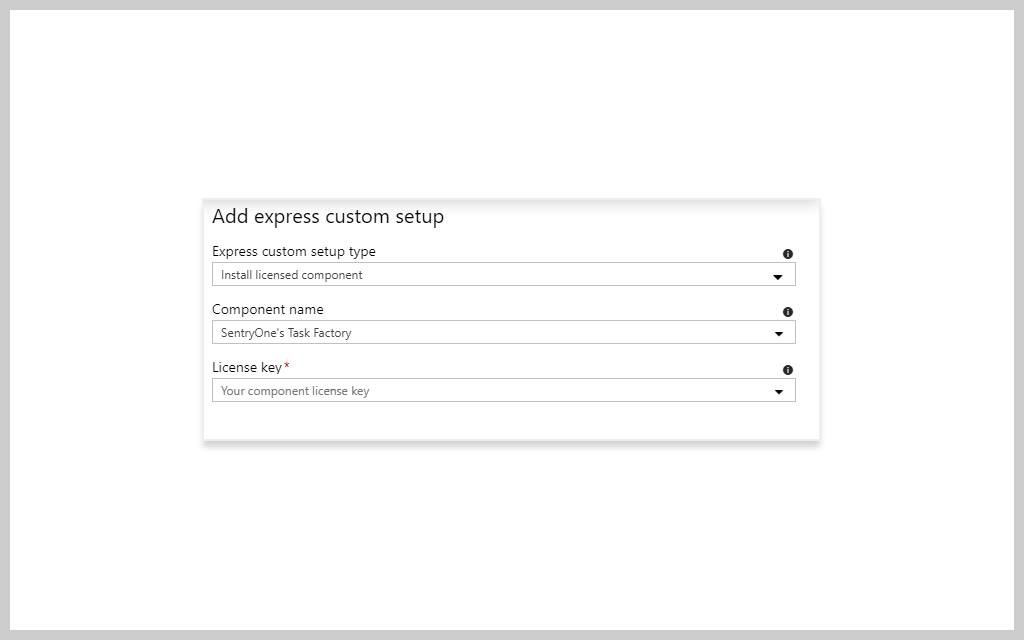
You can easily install Task Factory during the SSIS IR startup process. Simply select Task Factory during the express custom setup process and enter your Task Factory ADF license key to use 60+ Task Factory components on your Azure SSIS-IR.
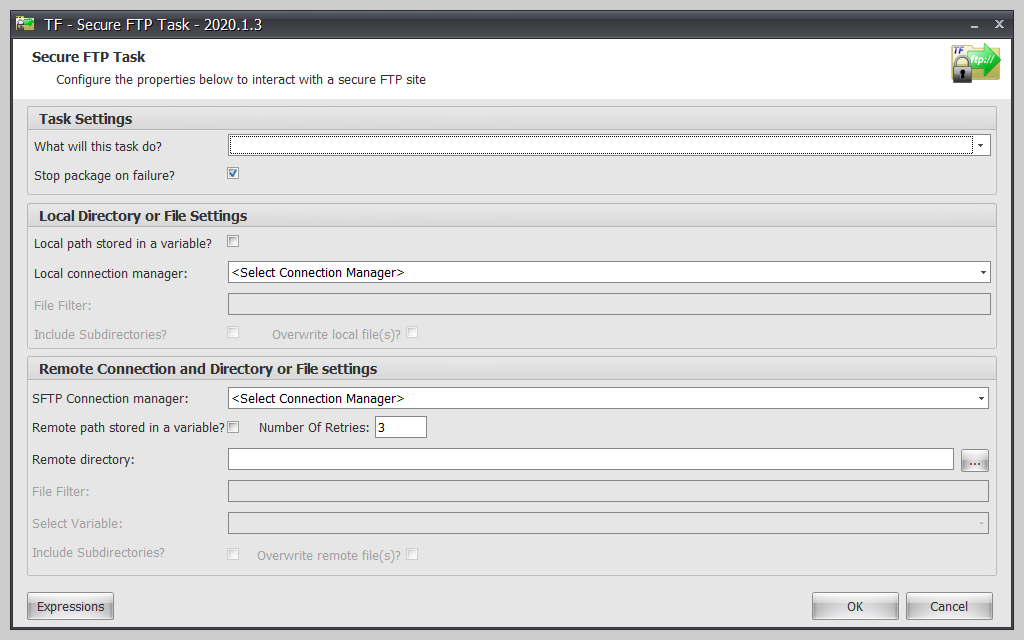
With the Azure Data Factory service, you can bring encrypted security right to your FTP in SSIS. The Task Factory Secure FTP (SFTP) Task is simple to implement with SSIS. Azure Data Factory lets you configure the task and have it ready to go in under a minute—all without writing any lines of code. That means you can help improve security for uploading and downloading single files and even entire directories using Data Factory. Azure even lets you delete files in your directories using a wildcard match.
Task Factory includes a REST source that lets you connect to practically any cloud application or web service that uses a REST API so you can bring that data directly into your data flow. Even better, the component supports both newly created (with JSON) and legacy (XML-based) REST endpoints, so you’ll be able to connect with all your data sources. That includes platforms like MailChimp, Zendesk, Survey Monkey, and many more.
Simply put, integration runtime is the computing infrastructure that Azure Data Factory (ADF) uses to deliver various data integration capabilities across multiple network environments. These data integration capabilities include:
There are two main data movement scenarios to consider when it comes to Azure Data Factory: cloud data movement and hybrid data movement. Each of these has specific considerations to keep in mind to help ensure your data is moved securely.
Cloud: In the cloud scenario, both the destination and the source can be publicly accessed through the internet. These include managed cloud storage services like Amazon S3, Amazon Redshift, Azure Storage, and Azure SQL Database, SaaS services like Salesforce, and web protocols like OData and FTP.
It’s possible to move data with improved security in this scenario thanks to Azure Data Factory. Data Factory encrypts your credentials with certificates from Microsoft to help store them more securely. If your cloud data store supports TLS or HTTPS, then all of your data transfers that occur between Data Factory data movement services and cloud data stores will be secured using those protocols.
Hybrid: In the hybrid scenario, either the destination or the source is behind a firewall or within an on-premises corporate network—or, alternatively, the data store is in a virtual network or private network and isn’t publicly accessible.
To help keep data secure in hybrid scenarios, you need to install a self-hosted integration runtime on an on-premises network, inside a virtual private cloud (Amazon), or inside a virtual network (Azure). The command channel then allows for communication between the self-hosted integration runtime and the data movement services in Azure Data Factory. The data channel is used to transfer data between cloud data stores and on-premises data stores.
As with the cloud scenario, it’s possible to store credentials in the hybrid scenario right within Data Factory, and all data transfers are encrypted.
Creating custom setups for your Azure-SQL Server Integration Services (SSIS) Integration Runtime (IR) in Azure Data Factory (ADF) or Synapse Pipelines is simple. These custom setups let you change the environment or default operating configuration of your Azure-SSIS IR.
There are two ways to create these custom setups:
Simply put, integration runtime is the computing infrastructure that Azure Data Factory (ADF) uses to deliver various data integration capabilities across multiple network environments. These data integration capabilities include:
There are two main data movement scenarios to consider when it comes to Azure Data Factory: cloud data movement and hybrid data movement. Each of these has specific considerations to keep in mind to help ensure your data is moved securely.
Cloud: In the cloud scenario, both the destination and the source can be publicly accessed through the internet. These include managed cloud storage services like Amazon S3, Amazon Redshift, Azure Storage, and Azure SQL Database, SaaS services like Salesforce, and web protocols like OData and FTP.
It’s possible to move data with improved security in this scenario thanks to Azure Data Factory. Data Factory encrypts your credentials with certificates from Microsoft to help store them more securely. If your cloud data store supports TLS or HTTPS, then all of your data transfers that occur between Data Factory data movement services and cloud data stores will be secured using those protocols.
Hybrid: In the hybrid scenario, either the destination or the source is behind a firewall or within an on-premises corporate network—or, alternatively, the data store is in a virtual network or private network and isn’t publicly accessible.
To help keep data secure in hybrid scenarios, you need to install a self-hosted integration runtime on an on-premises network, inside a virtual private cloud (Amazon), or inside a virtual network (Azure). The command channel then allows for communication between the self-hosted integration runtime and the data movement services in Azure Data Factory. The data channel is used to transfer data between cloud data stores and on-premises data stores.
As with the cloud scenario, it’s possible to store credentials in the hybrid scenario right within Data Factory, and all data transfers are encrypted.
Creating custom setups for your Azure-SQL Server Integration Services (SSIS) Integration Runtime (IR) in Azure Data Factory (ADF) or Synapse Pipelines is simple. These custom setups let you change the environment or default operating configuration of your Azure-SSIS IR.
There are two ways to create these custom setups:
Task Factory
60+ high-performing SSIS components
Save time managing tedious data warehousing ETL tasks
Connect to dozens of data sources