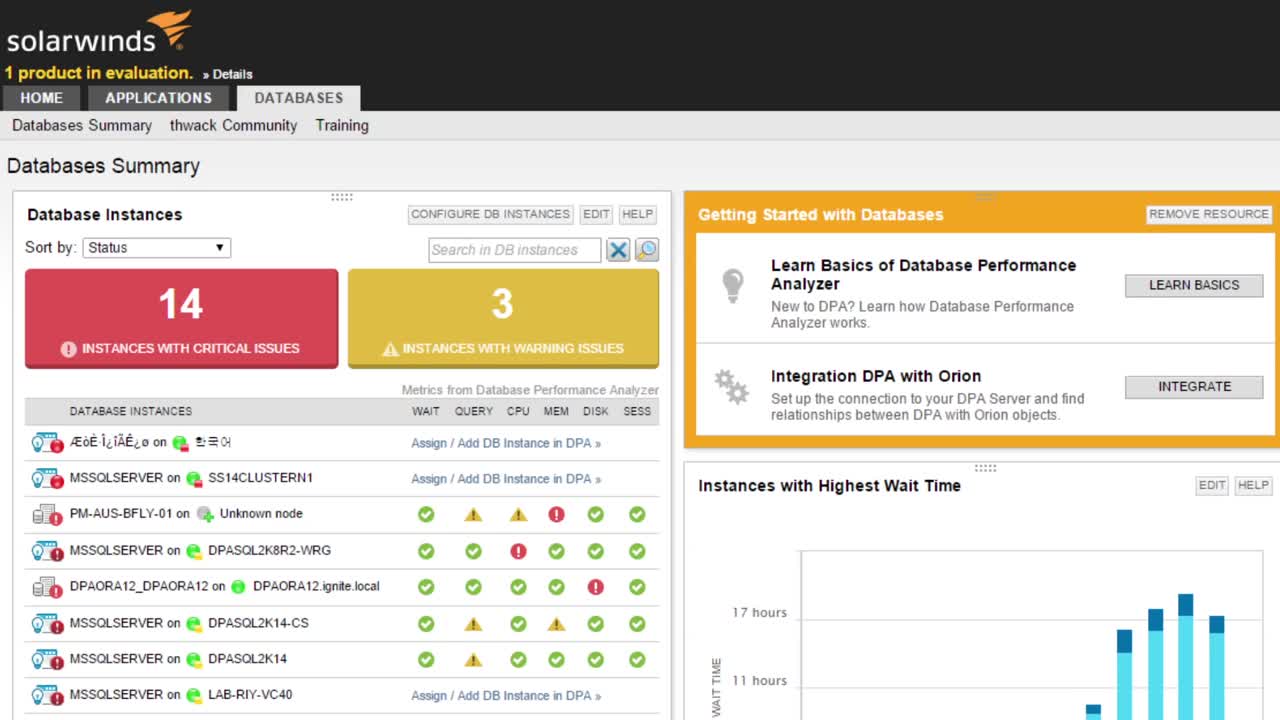
The fastest way to identify and resolve performance problems

Resolve problems faster with Database Performance Analyzer on the Orion Platform

  1. Download and install Database Performance Analyzer

    With no agents, installation typically takes less than 20 minutes, and does not require a reboot.

  2. Configure the repository

    Select your repository—either Oracle or SQL Server.

  3. Register your databases

    Register your database instances, availability groups, and Real Application Clusters.

  4. Run the Integration Wizard on the Orion Platform

    The wizard automatically maps your Orion® databases and applications to Database Performance Analyzer database and queries.

See More
See Less
"With our current environment, this product is invaluable to my team for problem resolution. We could not do our jobs as efficiently, nor could we solve problems as quickly without this product."
Database Administrator
S&P 500 company

Try Database Performance Analyzer. Stop guessing and resolve performance issues now.

Database Performance Analyzer

  • Easy drill in, context setting, and consistent navigation

  • See what’s being blocked AND what’s doing the blocking

  • The right data to optimize your database, indexes, and queries

Let’s talk it over.
Contact our team. Anytime.
{#Contact Phone#}
{{STATIC CONTENT}}
{{CAPTION_TITLE}}

{{CAPTION_CONTENT}}

{{TITLE}}