- Events
-
Partners
- Government
- Customer Portal
- Contact Us
- Contact Sales
-
English
Use active scanning to discover and track subnets and associated address blocks, and view transient IP addresses to easily identify abandoned IP addresses and reclaim them.
Find an available IP address, make the reservations, and manage DNS entries all at once from a single console.
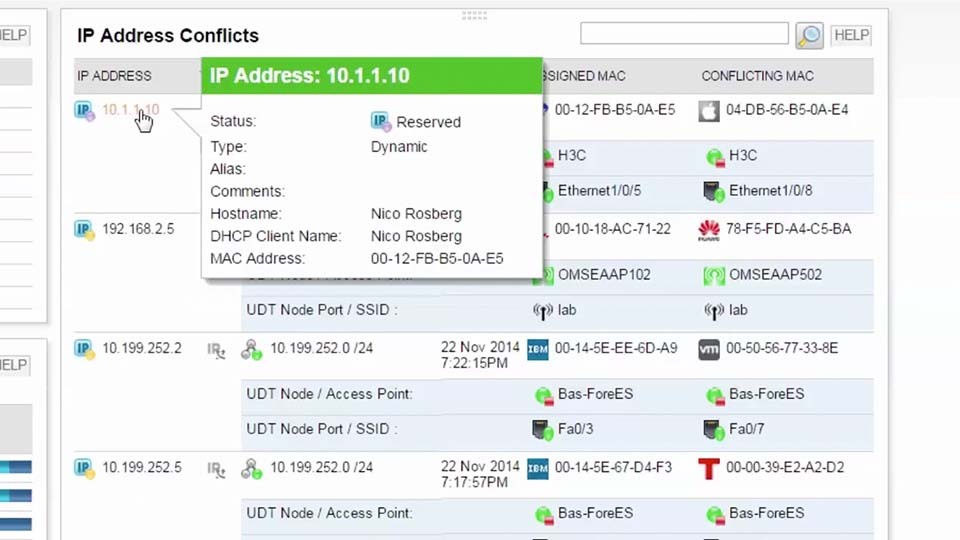
Monitor IP address usage, receive alerts on subnet capacity issues and IP address conflicts, and quickly resolve issues that affect performance.
Manage and monitor Microsoft, Cisco, and ISC DHCP servers as well as Microsoft and BIND DNS servers from a centralized console. The IP address tracker software can manage your scopes, DNS zones, and resource records.
Automatically make reservations or enable users to request IP addresses utilizing the built-in IP Request Form. IPAM also offers automated reporting capabilities to track requests for compliance or change management purposes.
Automate the creation, modification, and deletion of IP records in your IPv4 and IPv6 environments. Additionally, create new subnets in IPAM and create, update, or remove DNS entries through the API.
IPAM integrates with VMware vRealize Orchestrator (vRO)/vRealize Automation (vRA) to automate the provisioning of IP addresses and the updating of DNS records of virtual machines. Automating these tasks enables virtual environments to scale dynamically.
IP address management tool can provide in-depth details on all of your IPs and how they’ve been used, even if they’re ancient history.
Monitor both your Amazon Web Services (AWS) Route 53 and Azure DNS zones and records without having to log in to separate management consoles.
Allow systems and network administrators to monitor their own range of IPs by facilitating IP administration.
Simplify the management of failover relationships by configuring all relationships on a DHCP server on a single screen. Also, quickly view relationship details via a pop-up window.
Utilize customizable, out-of-the-box templates to help achieve fast, flexible, and centralized reporting with the help of IPAM IP address management software.
The IPAM IP address management software dashboard integrates with other SolarWinds management products including Network Performance Monitor, Server & Application Monitor, Network Configuration Manager, and more.
Protect your monitoring environment against O/S crashes, application failures, network connectivity problems, and database availability issues with SolarWinds High Availability.
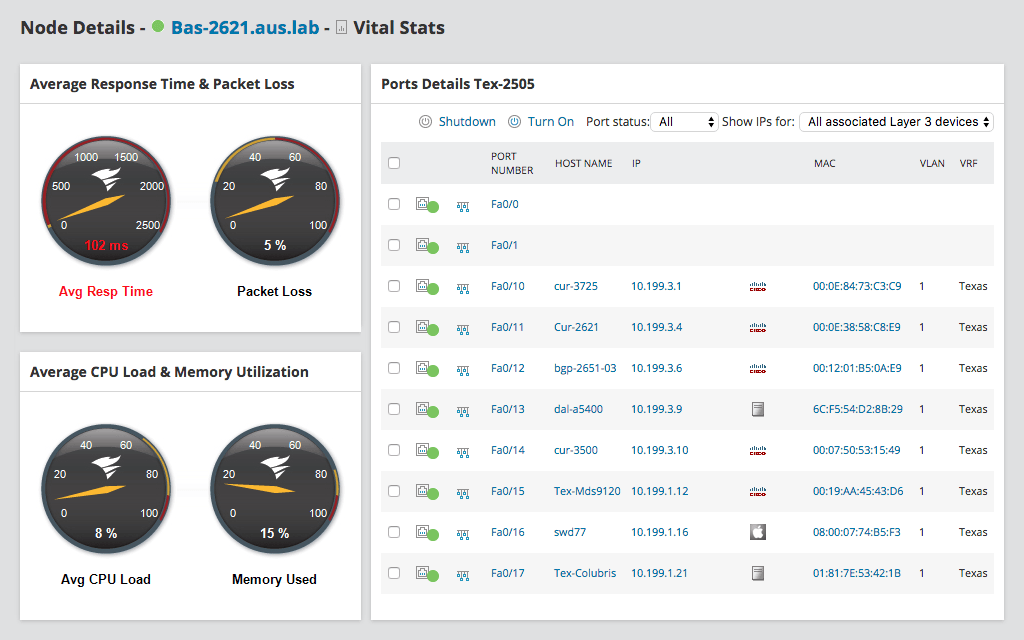
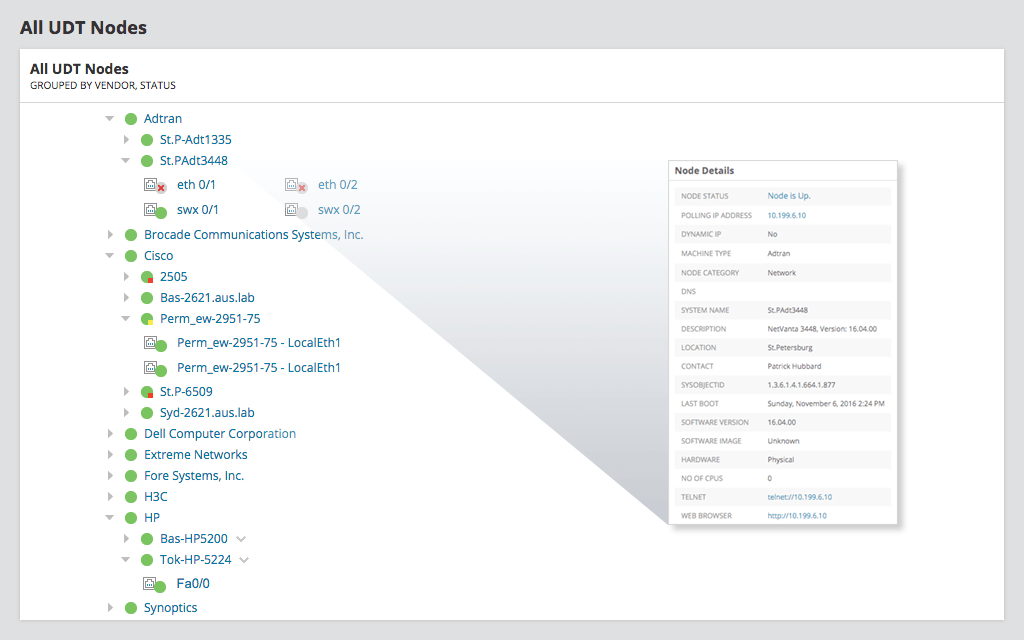
Immediately locate network devices on your LAN and wireless network, and retrieve switch name, port, port description, VLAN, VRF data, vendor information, all from a single console.
Gain knowledge of port status and usage, response time, packet loss, CPU load, memory utilization and more.
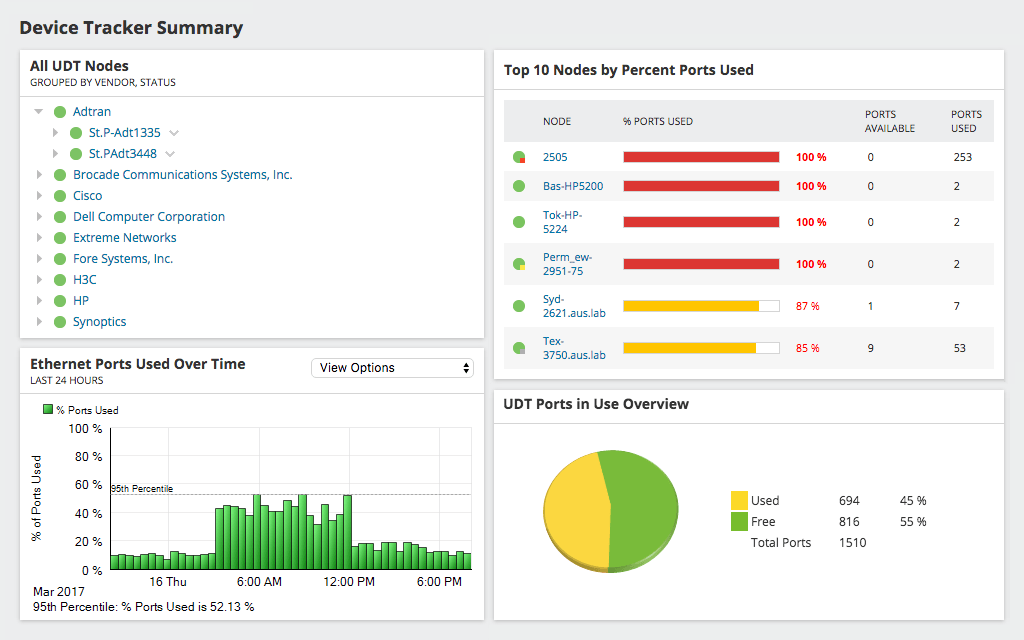
Network device tracker can identify switches operating at near capacity and where you can reclaim unused ports. With out-of-the-box reports, you'll also receive current utilization metrics to help forecast capacity requirements.
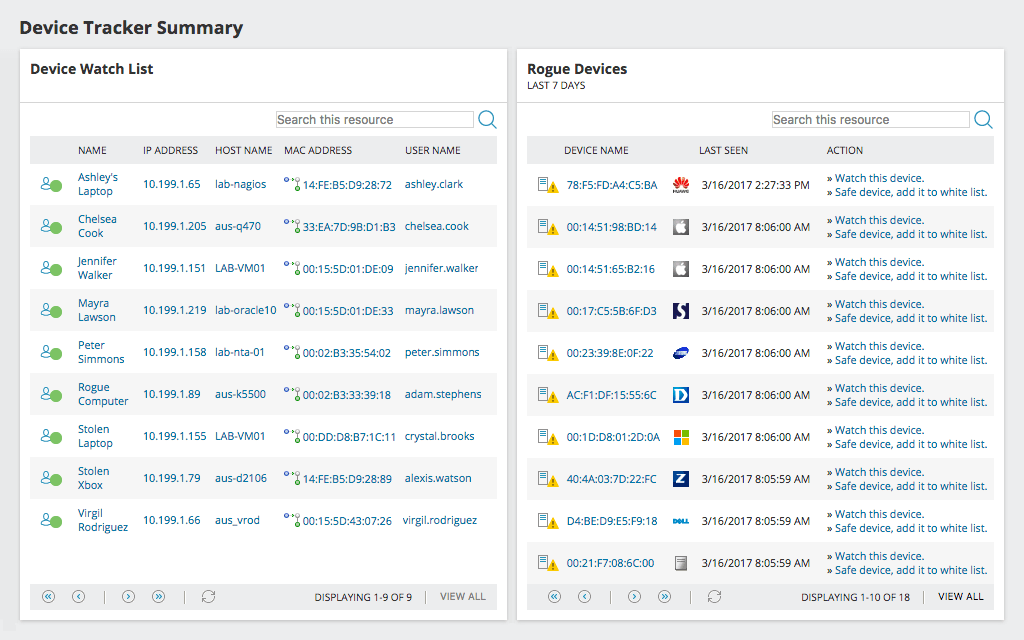
Receive alerts when suspicious devices connect to your network.Create a device watch list for tracking monitoring devices by MAC address, IP address, or host name for both your wired and network devices.
Remotely shutdown a compromised network device port with point-and-click simplicity. Detect rogue devices and shutdown the port to mitigate security risks or prevent network problems.
The UDT dashboard integrates with other SolarWinds management products including Network Performance Monitor, IP Address Manager, Network Configuration Manager, and more.
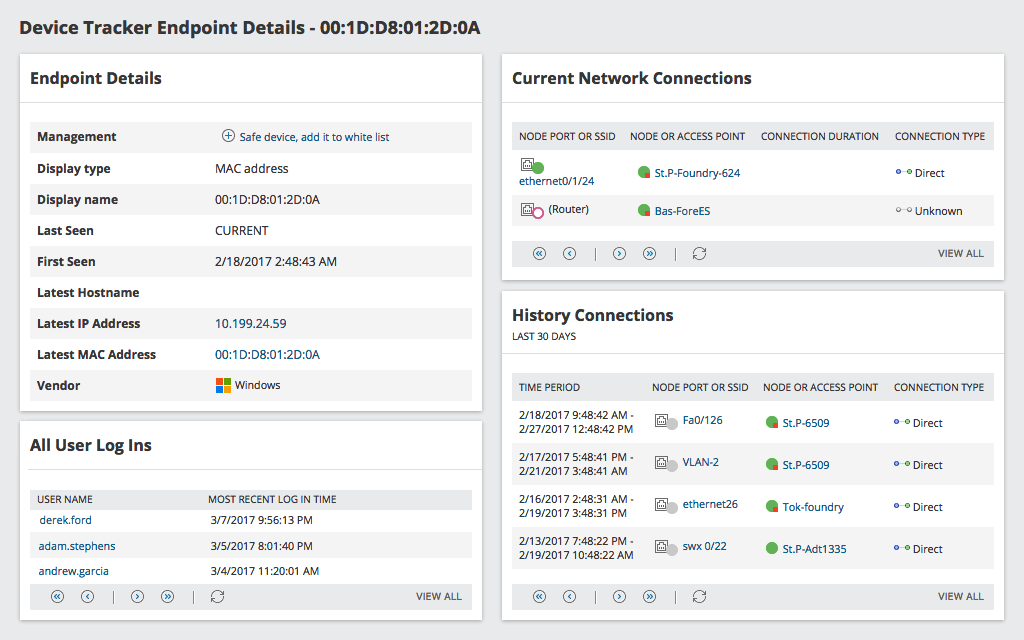
Use “History Connections” and “All User Logins” to unveil the date and time users entered a network, through which specific node port, SSD, or access point, via what connection type.
Gather user details and reveal all endpoint logins, specifically endpoint name and most recent login time.
Take advantage of multi-vendor device support that’s compatible with many SNMP-managed switches and access points.
UDT device tracking software is built to provide port description, VLAN assignment, connected MACs, and port configuration information.
Use the Endpoint Vendor pie chart with the numerical data key in the UDT network device identifier tool to help understand what vendor equipment is connected to your network.
The IP Control Bundle alerts you to IP conflicts and helps you locate and isolate the conflicting device in seconds.
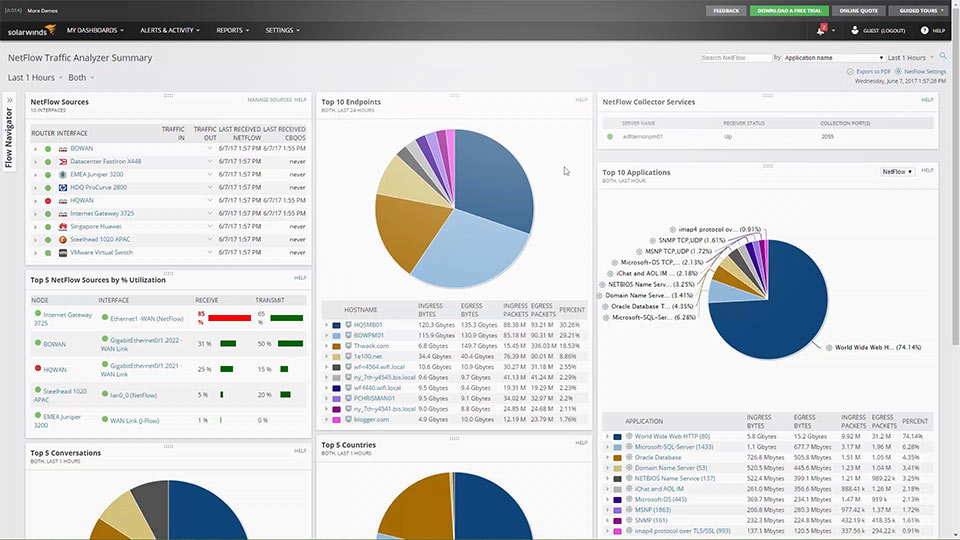
Identify and shut down specific high-bandwidth devices (or endpoints) by combining the functionality of User Device Tracker with Netflow Traffic Analyzer.
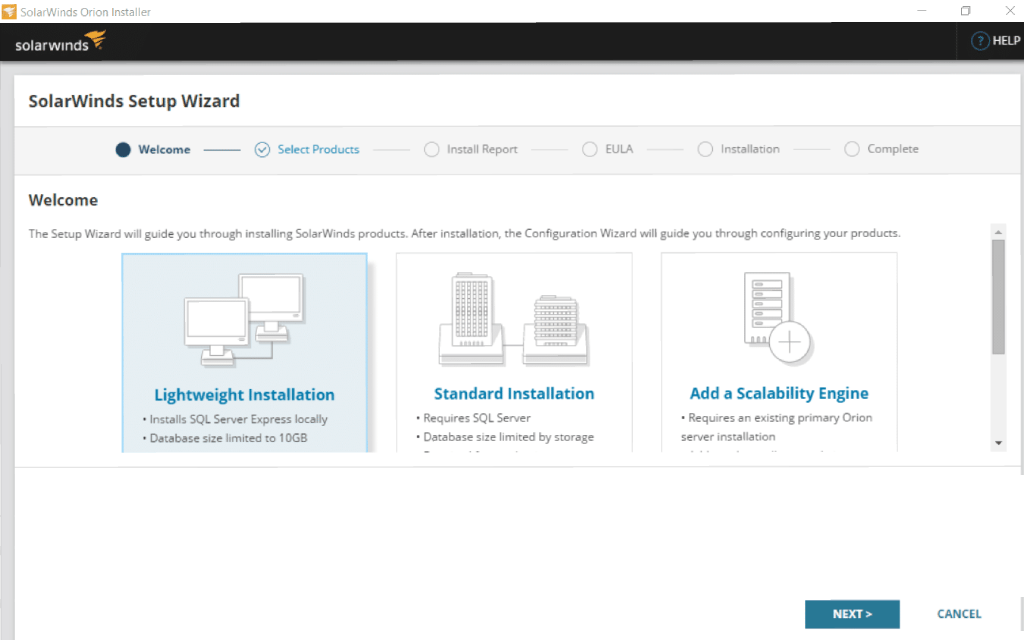
Install, configure, and begin using User Device Tracker in about an hour.
Protect your monitoring environment against O/S crashes, application failures, network connectivity problems, and database availability issues with SolarWinds High Availability.
SolarWinds Enterprise Operations Console collects performance data from an installed base of multiple SolarWinds servers, and summarizes this data into a composite, centralized view.
Find an available IP address, make the reservations, and manage DNS entries all at once from a single console.
Monitor IP address usage, receive alerts on subnet capacity issues and IP address conflicts, and quickly resolve issues that affect performance.
Manage and monitor Microsoft, Cisco, and ISC DHCP servers as well as Microsoft and BIND DNS servers from a centralized console. The IP address tracker software can manage your scopes, DNS zones, and resource records.
Automatically make reservations or enable users to request IP addresses utilizing the built-in IP Request Form. IPAM also offers automated reporting capabilities to track requests for compliance or change management purposes.
Automate the creation, modification, and deletion of IP records in your IPv4 and IPv6 environments. Additionally, create new subnets in IPAM and create, update, or remove DNS entries through the API.
IPAM integrates with VMware vRealize Orchestrator (vRO)/vRealize Automation (vRA) to automate the provisioning of IP addresses and the updating of DNS records of virtual machines. Automating these tasks enables virtual environments to scale dynamically.
IP address management tool can provide in-depth details on all of your IPs and how they’ve been used, even if they’re ancient history.
Monitor both your Amazon Web Services (AWS) Route 53 and Azure DNS zones and records without having to log in to separate management consoles.
Allow systems and network administrators to monitor their own range of IPs by facilitating IP administration.
Simplify the management of failover relationships by configuring all relationships on a DHCP server on a single screen. Also, quickly view relationship details via a pop-up window.
The IPAM IP address management software dashboard integrates with other SolarWinds management products including Network Performance Monitor, Server & Application Monitor, Network Configuration Manager, and more.