- Events
-
Partners
- Government
- Customer Portal
- Contact Us
- Contact Sales
-
English
File sharing is an essential part of any business. Files are constantly traveling between users and devices and can contain sensitive information. Secure FTP file transfers can help make it easier to get files to the people who need them without opening yourself up to potential risks.
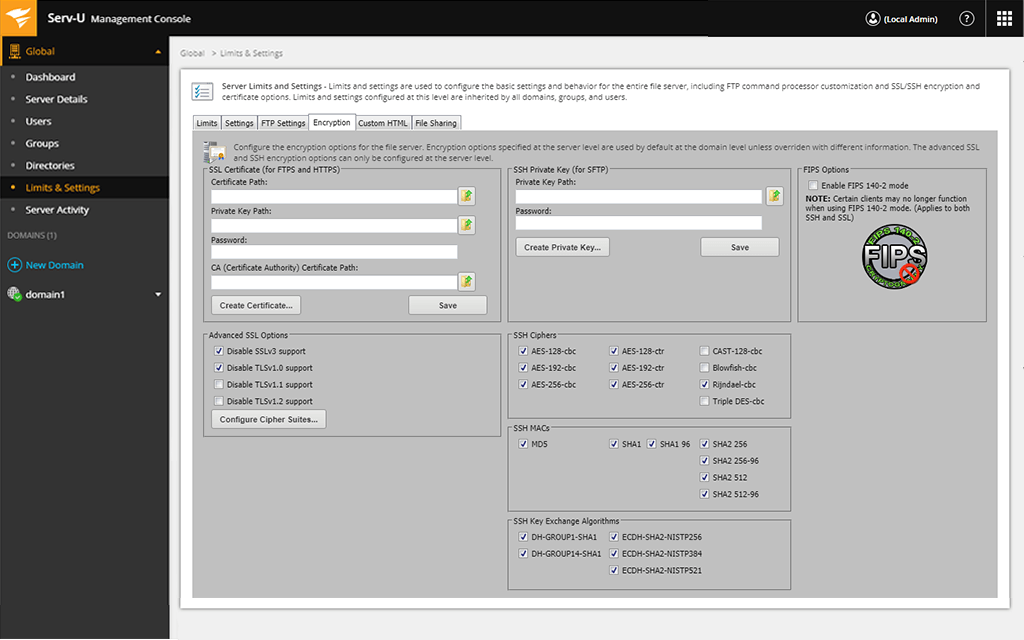
SolarWinds® Serv-U® Managed File Transfer Server (Serv-U MFT) comes with built-in security features designed to make secure file sharing for business easier. With Serv-U MFT, you can set files to be password protected, automatically expire, and be deleted after a configurable period. The storage solution also offers automatic IP lockouts to prevent brute-force attacks. You can even use FIPS 140-2 validated cryptography as needed for added security.
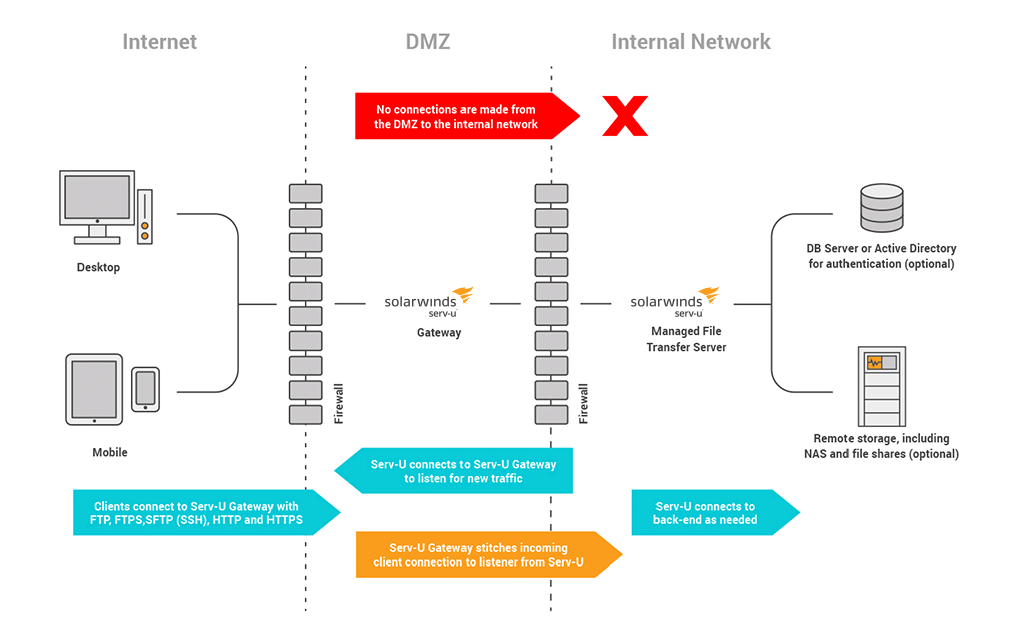
With Serv-U MFT, you can use the software you already have—and your employees are used to using—to help securely transfer files. The SolarWinds solution supports the five most common file transfer protocols: FTP, FTPS, SFTP, HTTP, and HTTPS. Clients for each protocol can connect to Serv-U without needing to install any additional software. For example, for FTP, any FTP clients, including FTP Voyager®, FTP scripts, tablets, desktops, servers, and smart phones, can connect to Serv-U safely without needing to install any extra software. The Serv-U client then lets you download, edit, and upload files from any desktop web browser.
Secure file sharing lets users send files to and request files from anyone. When deployed in your data center, Serv-U Managed File Transfer Server provides this popular “ad hoc” file transfer service to your end users on your existing infrastructure, and under the control of your existing security policy. Safe file sharing is now easier with a host of advanced features like ability to share files that are already on the server and ability to control server-wide settings.
The SolarWinds Serv-U MFT solution doesn’t require the installation of any additional software and makes it easy for anyone to use no matter their level of experience with secure file sharing software.
Serv-U MFT includes features built to make it easier to share files, such as:
Sometimes you need to view or share a file from a device that isn’t your work computer. Whether it’s a smart phone, a tablet, or even an e-reader, SolarWinds Serv-U MFT has you covered. You can use the solution on desktops and servers as usual, but the Serv-U mobile interface lets you go even farther. You can view documents from popular devices including Apple and Android mobile devices in addition to e-readers like the Kindle Fire. The Serv-U management console is also accessible from any web browser or tablet.
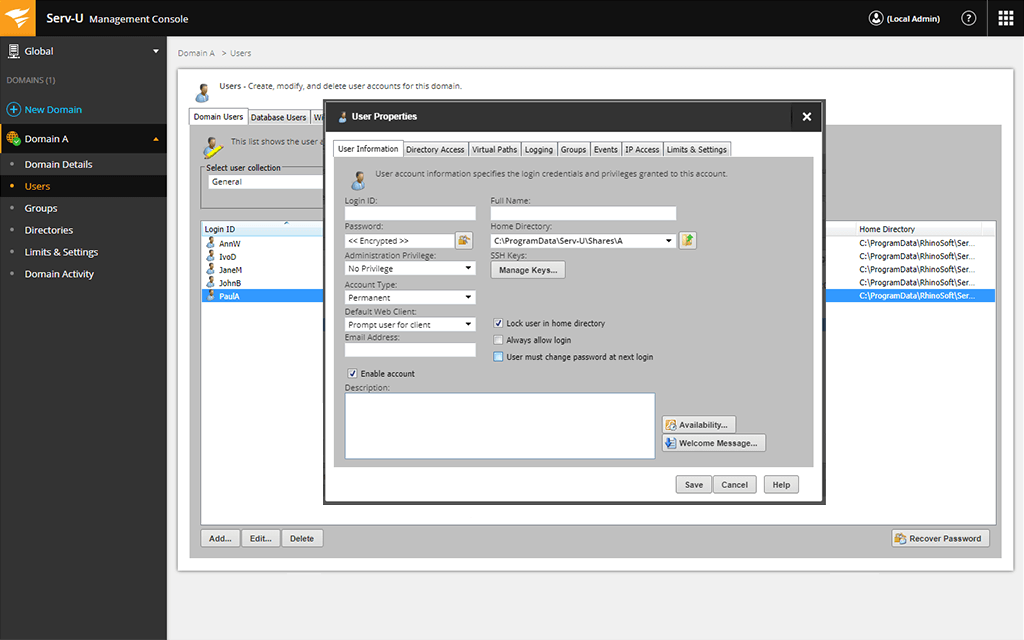
Serv-U MFT Server is designed to go one step further when it comes to accessibility and ease-of-use with different user management options, such as the ability to integrate with Microsoft Active Directory and LDAP servers to more easily sync your AD database with Serv-U MFT Server. This integration can allow you to quickly add users, and users can also log in to Serv-U with their AD domain credentials when Windows authentication is enabled in Serv-U settings.
Secure file sharing lets users send files to and request files from anyone and helps protect the sensitive information potentially contained within those files. Secure file sharing usually involves a managed file transfer (MFT) solution that uses various security protocols, like two-factor authentication, automated deletion, and encryption, to help ensure sensitive data is transferred safely. Some of the best secure file sharing solutions can let you continue using “ad hoc” file transfer approach while helping eliminate potential security vulnerabilities.
When it comes to choosing the right file sharing software for your organization, security and retention features can help ensure safer file transfers. If you’re looking for a solution with important security features for file sharing included, look for a tool that can offer:
While these security features are helpful, it’s also important to choose a solution that can make it easier for users to securely transfer files, so no one is tempted to sacrifice security for the sake of easier file sharing.
When it comes to file sharing, people often debate the relative merits of cloud storage services vs. FTP server storage space. While there are some differences in how the two options approach storage and file transfer, they largely perform the same functions.
FTP server storage: FTP is a standard network protocol used to transfer files from one host to another using the internet. It can handle large media files that may be too large for browsers. To access FTP files, you need to have an FTP client in place. Like cloud-based storage, some FTP server storage solutions can also support anywhere, anytime file transfers using web and mobile interfaces.
Cloud-based storage: When it comes to file sharing, cloud-based storage means storing files in a virtual space that can be accessed by users from anywhere. Common tools include Dropbox, OneDrive, or Google Drive. Often used in an ad-hoc manner, these solutions don’t tend to meet compliance standards for security.
Overall, using a file transfer tool with built-in FTP storage can potentially help better ensure security and functionality, since the IT software is designed for file sharing rather than sharing access to a cloud-based storage solution.
SolarWinds Serv-U Managed File Transfer Server (MFT) is designed to make securing FTP file transfers easier for anyone within your organization by allowing users to send and request files anywhere, anytime.
When deployed in your data center, Serv-U Managed File Transfer Server can provide “ad hoc” file transfer services to your end users on your existing infrastructure and under the control of your existing security policy. Serv-U MFT also helps make secure file sharing easier with advanced features, like the ability to share files already on the server and control server-wide settings. Other security features include automatic IP lockouts, various encryption methods, the ability to set passwords for individual sets of files, the ability to set time limits after which files automatically expire and are deleted, and more.
Serv-U MFT is also built to be easy to use, for everyone from individual users to the IT admins who need to deploy and maintain compliance. Serv-U offers links to help explain how to start sending or requesting files and customizable email notifications to explain what to do next in the file transfer process. Serv-U also supports anonymous shares, with the ability to have file sharing “guests” automatically provisioned by email address.
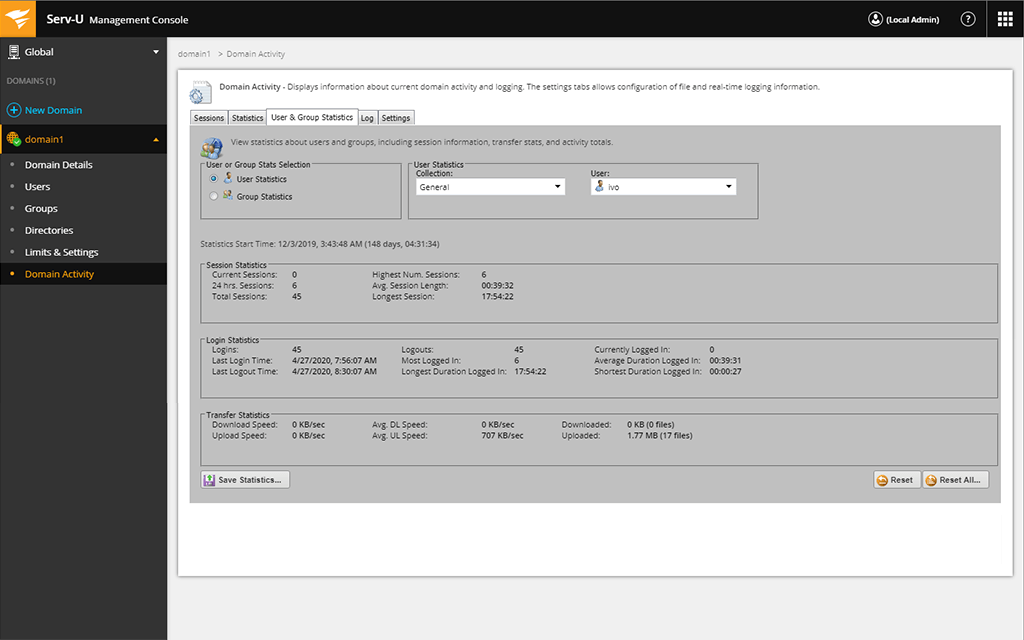
Serv-U MFT helps make files easier to manage, with automated file management to move or delete files after a specified time interval, as well as the ability to free-form search file shares on the server. End users also get access to recent share history, can request personal password reminders, and change their own passwords. To support auditing and monitoring, Serv-U can display sessions in real time, with options to kick or drill into active sessions. Additionally, all file transfer activity can be written to disk for additional analysis. Using the Serv-U events functionality, you can also configure Windows event logging and email alerts.
Other SolarWinds tools designed to support FTP connections:
Related resources:
Secure file sharing lets users send files to and request files from anyone and helps protect the sensitive information potentially contained within those files. Secure file sharing usually involves a managed file transfer (MFT) solution that uses various security protocols, like two-factor authentication, automated deletion, and encryption, to help ensure sensitive data is transferred safely. Some of the best secure file sharing solutions can let you continue using “ad hoc” file transfer approach while helping eliminate potential security vulnerabilities.
When it comes to choosing the right file sharing software for your organization, security and retention features can help ensure safer file transfers. If you’re looking for a solution with important security features for file sharing included, look for a tool that can offer:
While these security features are helpful, it’s also important to choose a solution that can make it easier for users to securely transfer files, so no one is tempted to sacrifice security for the sake of easier file sharing.
When it comes to file sharing, people often debate the relative merits of cloud storage services vs. FTP server storage space. While there are some differences in how the two options approach storage and file transfer, they largely perform the same functions.
FTP server storage: FTP is a standard network protocol used to transfer files from one host to another using the internet. It can handle large media files that may be too large for browsers. To access FTP files, you need to have an FTP client in place. Like cloud-based storage, some FTP server storage solutions can also support anywhere, anytime file transfers using web and mobile interfaces.
Cloud-based storage: When it comes to file sharing, cloud-based storage means storing files in a virtual space that can be accessed by users from anywhere. Common tools include Dropbox, OneDrive, or Google Drive. Often used in an ad-hoc manner, these solutions don’t tend to meet compliance standards for security.
Overall, using a file transfer tool with built-in FTP storage can potentially help better ensure security and functionality, since the IT software is designed for file sharing rather than sharing access to a cloud-based storage solution.
SolarWinds Serv-U Managed File Transfer Server (MFT) is designed to make securing FTP file transfers easier for anyone within your organization by allowing users to send and request files anywhere, anytime.
When deployed in your data center, Serv-U Managed File Transfer Server can provide “ad hoc” file transfer services to your end users on your existing infrastructure and under the control of your existing security policy. Serv-U MFT also helps make secure file sharing easier with advanced features, like the ability to share files already on the server and control server-wide settings. Other security features include automatic IP lockouts, various encryption methods, the ability to set passwords for individual sets of files, the ability to set time limits after which files automatically expire and are deleted, and more.
Serv-U MFT is also built to be easy to use, for everyone from individual users to the IT admins who need to deploy and maintain compliance. Serv-U offers links to help explain how to start sending or requesting files and customizable email notifications to explain what to do next in the file transfer process. Serv-U also supports anonymous shares, with the ability to have file sharing “guests” automatically provisioned by email address.
Serv-U MFT helps make files easier to manage, with automated file management to move or delete files after a specified time interval, as well as the ability to free-form search file shares on the server. End users also get access to recent share history, can request personal password reminders, and change their own passwords. To support auditing and monitoring, Serv-U can display sessions in real time, with options to kick or drill into active sessions. Additionally, all file transfer activity can be written to disk for additional analysis. Using the Serv-U events functionality, you can also configure Windows event logging and email alerts.
Other SolarWinds tools designed to support FTP connections:
Related resources:
Serv-U Managed File Transfer Server
Create optional passwords to protect individual sets of requested or shared files
Help prevent brute-force attacks with automatic IP lockouts
Encrypt transferred files to help ensure security